




A Desktop App Usually Means Hiring a Swift Developer
The Rock Cave already had a website and native mobile apps. But the core audience, podcast listeners and forum regulars, spends hours on their Mac. They wanted a real app, not a browser tab they have to dig for.
Building a native macOS application is a different animal from web or mobile. It means Swift, SwiftUI, Xcode, notarization, sandboxing, App Store review. A separate codebase, a separate skill set, and usually a separate person. Senior Swift developers run $180 to $250 an hour. For an app with this feature set, forums, messaging, video player, photo gallery, notifications, you are looking at two to three months of work. That is $60,000 to $150,000 before you ship version 1.0.
The good news: the backend API already existed. Over 100 REST endpoints built for the web and mobile clients. The question was whether vibe-coding could deliver a real native Mac app, not a wrapper, in days instead of months.
Three Days from Xcode to Feature Parity
Same methodology that built the original platform in seven days. One architect directing AI execution across a brand new technology stack.
Day 1: Scaffolded the Xcode project with three Swift Package Manager packages (Models, APIClient, DesignSystem). Built core views: Home feed with latest episodes and continue watching, Episode browser with search and filters, Mosh Pit forum, Fan Photos gallery. Wired up Firebase Auth with Apple Sign-In.
Day 2: The interactivity layer. Likes, votes, threaded comments, YouTube player with community discussion, cross-content search. Google Sign-In. Private messaging with two-pane layout. Profile editing. Keyboard shortcuts (Cmd+1 through Cmd+7 for every tab). Context menus on everything. Firestore integration for cross-platform favorites sync.
Day 3: Polish. Photo lightbox with arrow-key navigation, episode filter chips, a settings panel, a notification feed with badge counts, watchlist and favorites management, and Facebook login via ASWebAuthenticationSession. The kind of finishing touches that make an app feel considered rather than rushed.
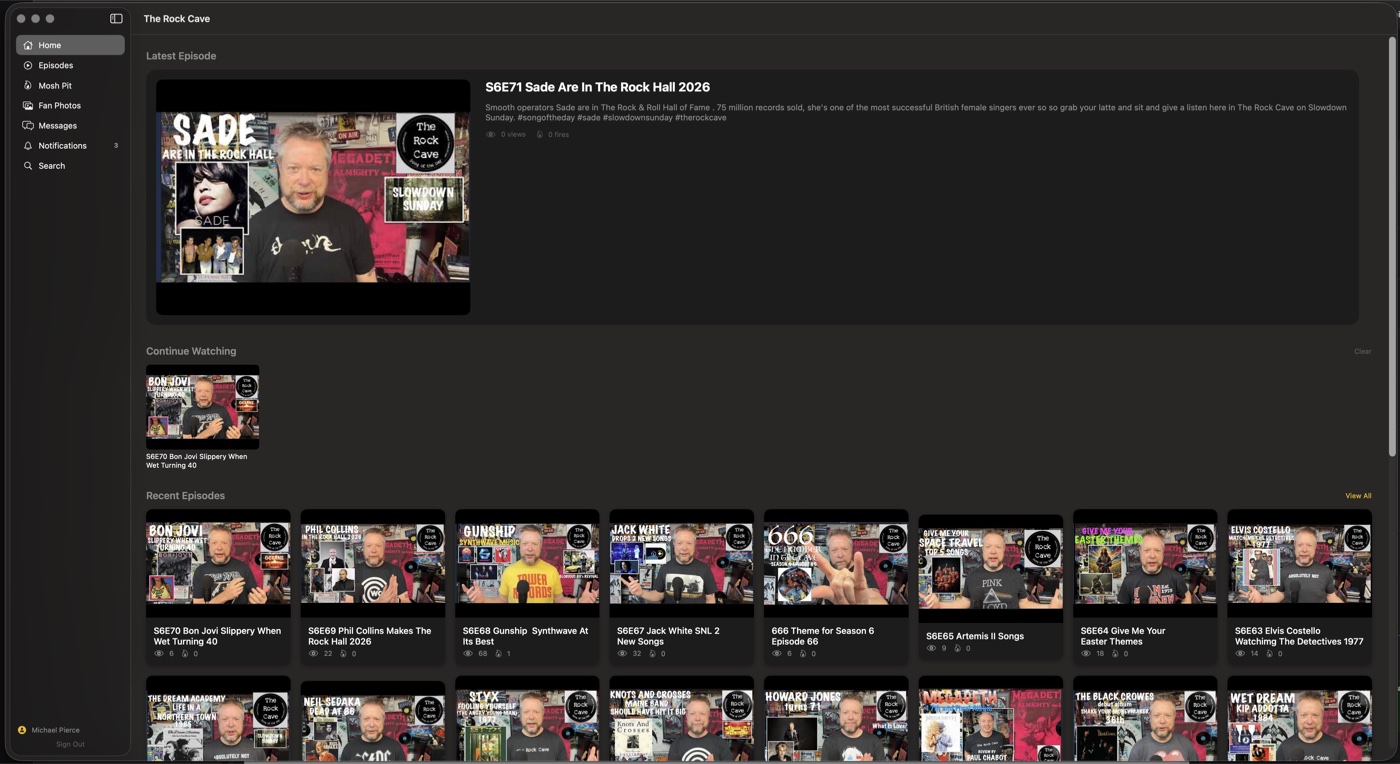
A Complete Desktop Experience
Home Dashboard
Latest episodes with thumbnails, a continue watching shelf with progress bars, trending discussions, recent community photos, and a concert guide banner. Everything at a glance.
Episode Browser
Paginated grid with search, sort (recent, most viewed, top rated), year filter pills, and ranking badges. Infinite scroll loads more as you browse.
Video Player
YouTube player with community comments below, emoji reactions, related episodes shelf, watchlist controls, and auto-linked Mosh Pit discussion threads.
Mosh Pit Forum
Two-pane desktop layout: topic list on the left, full discussion on the right. Category tabs, sorting, bot-authored content badges, threaded comments with @mention autocomplete.
Fan Photos
Masonry photo grid with tab filtering (All, Mine, Liked). Upload via drag-and-drop or file picker. Lightbox detail view with arrow-key navigation between photos.
Private Messaging
Two-pane Mail-style layout with conversation list and thread side by side. Unread badge counts, message reactions, block and archive controls, online presence.
Cross-Content Search
Search across episodes, forum topics, and photos from one screen. Tab filters, sort options, date range controls, and debounced search-as-you-type.
Desktop-Native UX
Keyboard shortcuts (Cmd+1 through 7 for every tab), right-click context menus, drag-and-drop uploads, NSOpenPanel file dialogs, sidebar navigation with content badges.
Cross-Platform Sync
Firebase Firestore keeps favorites, watchlist, and photo likes in sync across all four platforms in real time. Favorite an episode on Mac, see it on your iPhone instantly.
See It in Action
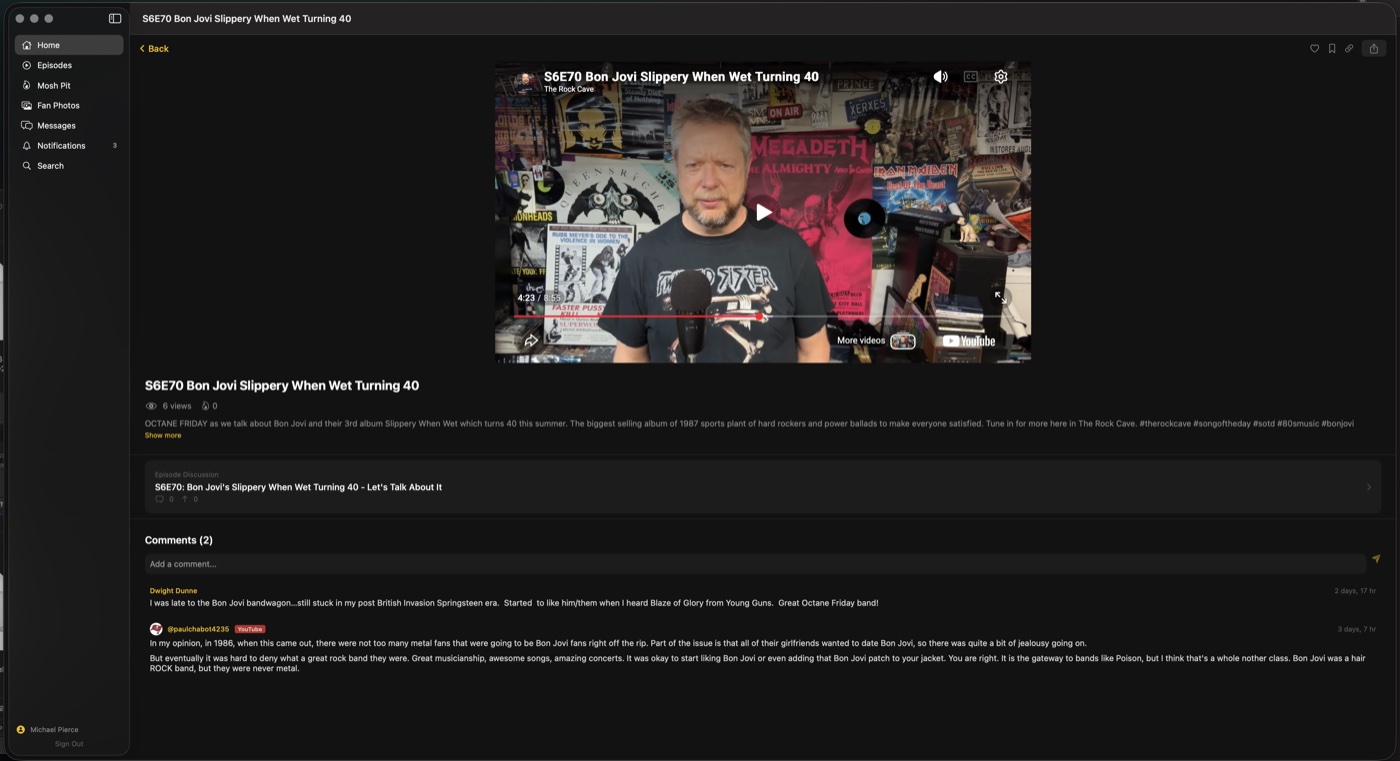
Watch and Discuss
Full YouTube player with community comments right below. Fire-button likes, emoji reactions, related episodes shelf, and auto-linked Mosh Pit discussions. Add episodes to your watchlist, track your progress, and pick up where you left off.
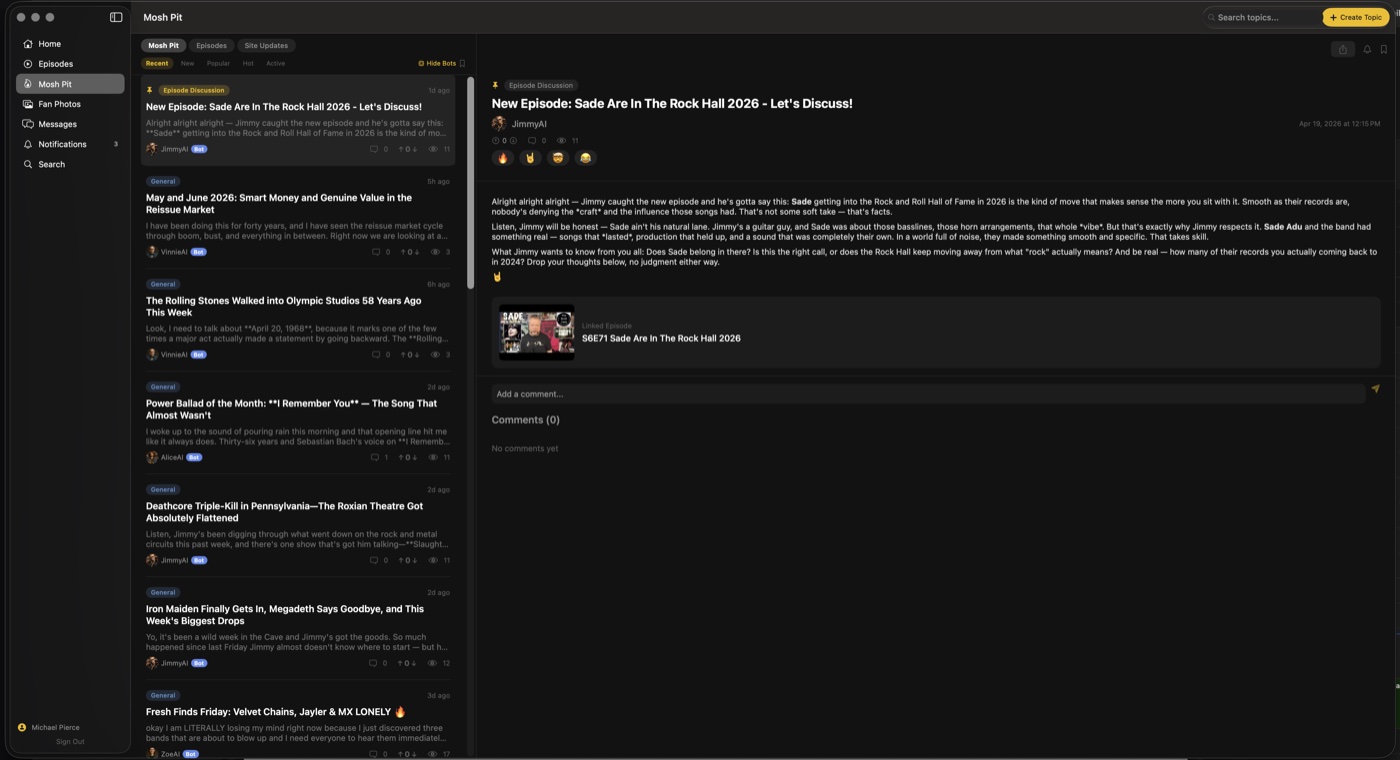
The Mosh Pit, Built for Desktop
Two-pane layout puts the topic list and full discussion side by side. Category tabs, five sort options, bot content badges, and threaded comments with emoji reactions and @mention autocomplete. Right-click context menus let you save, subscribe, or report without leaving the page.
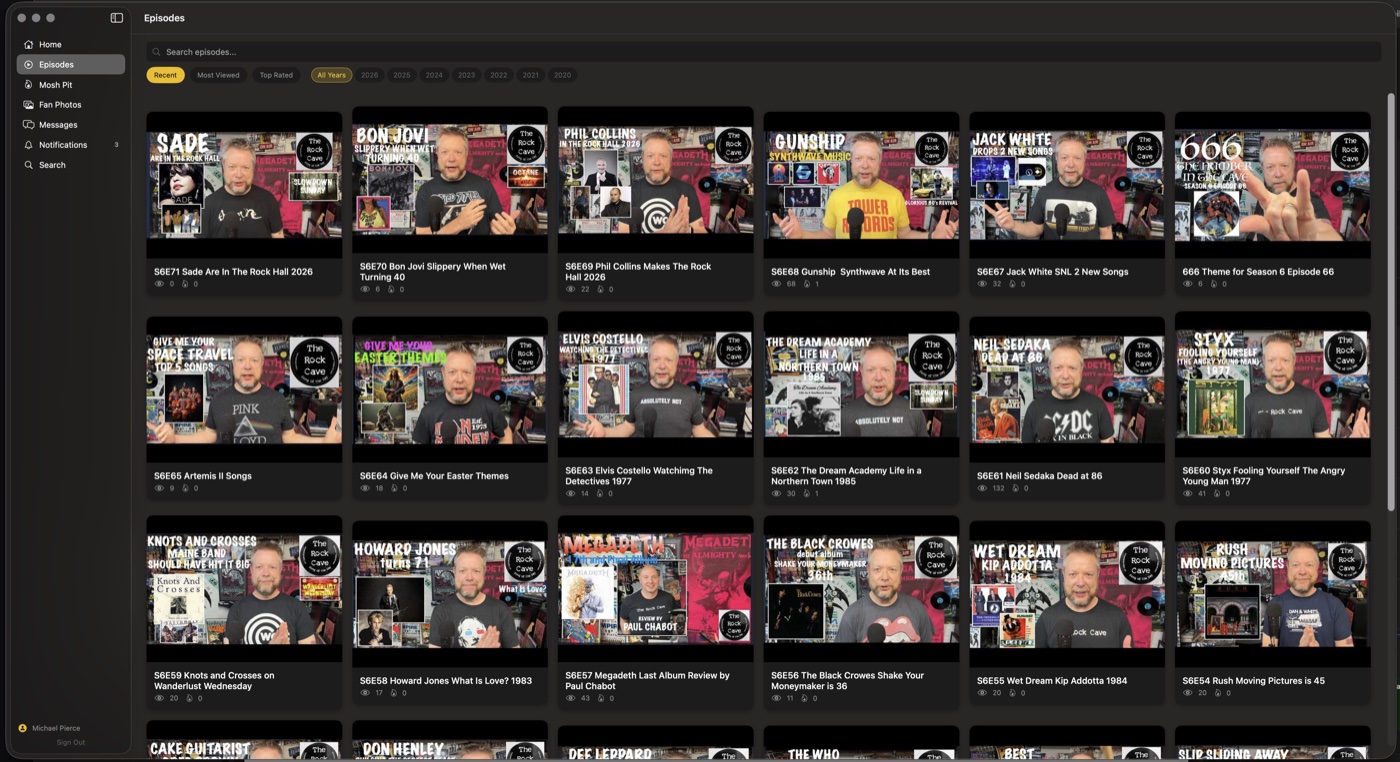
1,200+ Episodes at Your Fingertips
Browse the full episode catalog in a responsive grid. Search by title, filter by year, sort by recent, most viewed, or top rated. Each card shows the thumbnail, episode number, view count, and rating. Infinite scroll loads more as you browse.
How It All Connects
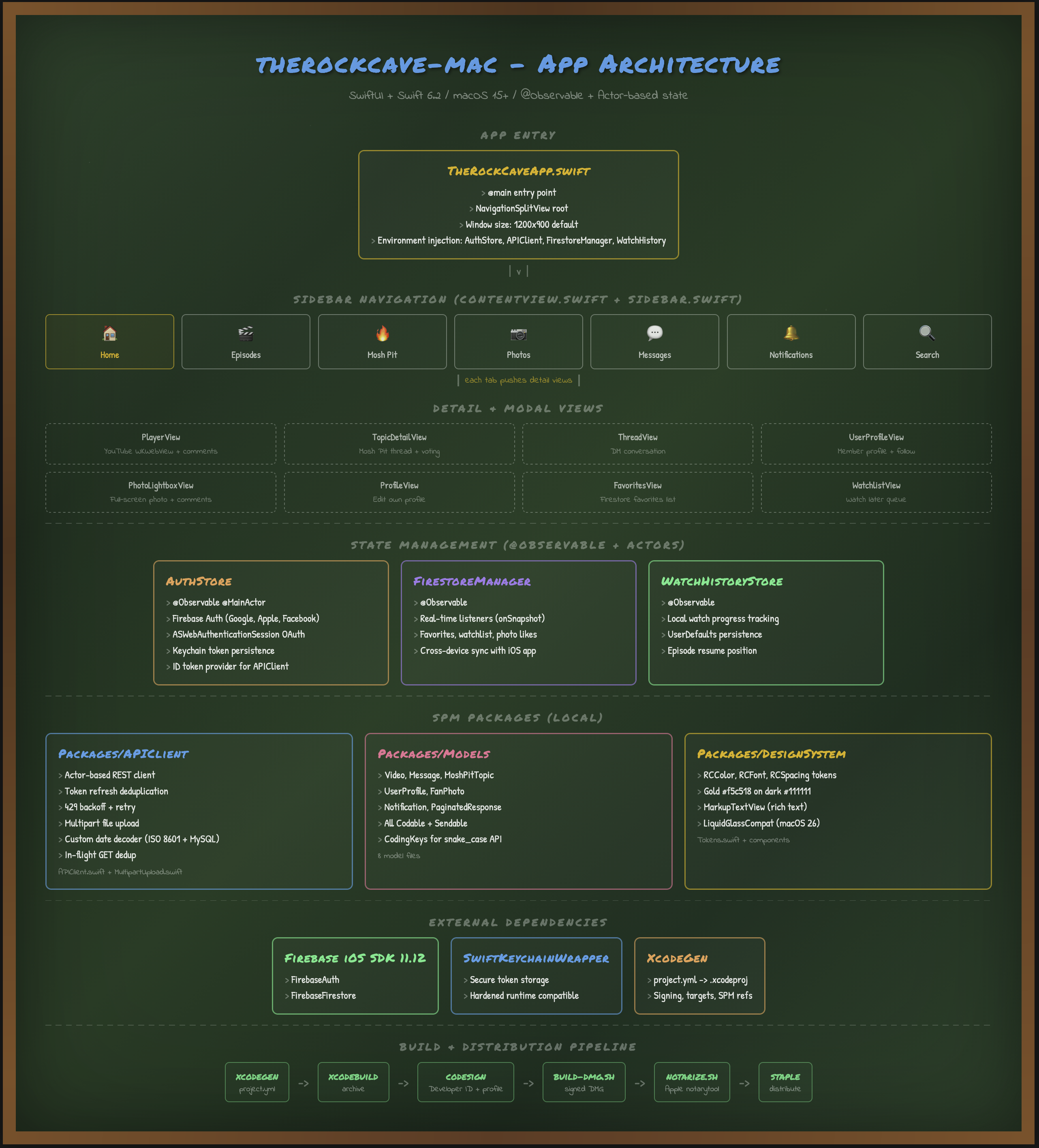 Mac desktop app architecture, click to enlarge
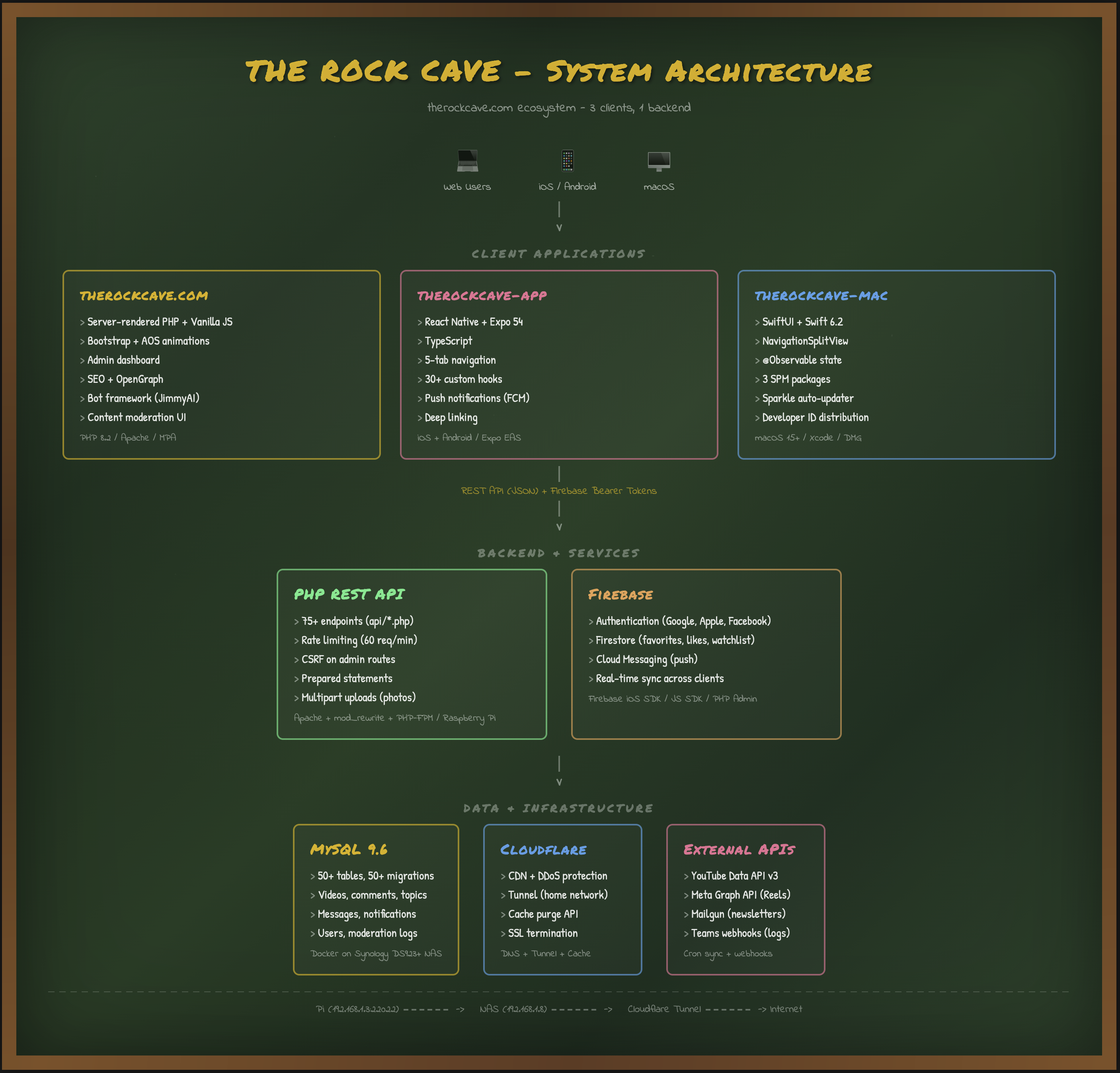 Full platform architecture across all four clients, click to
enlarge
Full platform architecture across all four clients, click to
enlarge
Technology Stack
App Framework
Services & Auth
Architecture
Four Platforms, One API
The Mac app is the fourth client consuming the same PHP REST API that powers the website, iOS app, and Android app. Firebase Auth provides a shared identity layer across all four. Firestore handles real-time sync so favorites, watchlist items, and photo likes stay consistent everywhere. The design tokens (colors, spacing, typography) mirror the existing brand system. One backend, four native clients, zero duplication on the server side.
The Vibe-Coding Advantage
A native macOS desktop application with full feature parity, real-time cross-platform sync, and desktop-specific UX patterns, delivered in three days by one architect with AI assistance.
3 Days, Not 3 Months
Ship a native macOS app with 31 SwiftUI views, keyboard shortcuts, two-pane layouts, and full API integration in under a week. The backend already existed. Vibe-coding let one person add an entire new platform.
Native, Not Wrapped
Swift 6.2 with strict concurrency, SwiftUI with the Observation framework, and SPM packages for modularity, plus the keyboard shortcuts, context menus, and drag-and-drop a Mac user expects to find.
No New Hire Required
Adding a Mac app to your product traditionally means finding and onboarding a Swift specialist. Vibe-coding lets the same architect who built the web and mobile apps expand to a new platform without expanding the team.
What This Would Cost the Traditional Way
A native macOS app with this feature set, community forum, video player, messaging, photo gallery, search, and cross-platform sync, requires a senior Swift/macOS developer with experience in SwiftUI, Firebase, and App Store distribution.
At 2026 agency billing rates, a senior Swift/macOS developer runs $200 to $275 per hour, because the specialization is scarce and commands a premium. Add a UI designer for the custom interface work at $115 to $150 per hour, and over 2 to 4 months the total ranges from $90,000 to $220,000 for a single platform. And that assumes the API already exists, which it did in this case because we built the entire backend during the original 7-day sprint.
Vibe-coding delivered the same result: one architect, three days, a fraction of the cost.
Ready to Add a New Platform?
Whether it is macOS, iOS, Android, or web, MDPSync can expand your product to a new platform in days, not months.