



Haunts went from a five-day prototype to a live product in both app stores, with more than 100 daily active users and over a million check-ins, built and run by one architect. The test suites and review process behind it make up the methodology MDPSync now teaches client teams, and the six-month follow-up covers how.
The App I Loved Stopped Growing, So I Built a New One
Foursquare was great until they split it into two apps. Most people I knew never made the jump to Swarm, and over time the community thinned out. Lately Swarm feels like a product in maintenance mode, with no new features.
Over 6,700 check-ins spanning 15 years of travel, dining, and daily life, all sitting in a data export ZIP file. No app on the market preserves the full Swarm experience: the gamification (stickers, mayors, streaks), the interactive maps, the searchable history, the social features. Everything available is either a stripped-down check-in tool or a location-sharing app.
Building a proper replacement traditionally would require a backend team, a React frontend team, a mobile team, a designer, and months of coordination. The scope covers a REST API with authentication, dual-database architecture, interactive maps, a gamification engine, social features, third-party integrations (Spotify, weather, Foursquare Places), push notifications, home screen widgets, and an admin dashboard. A traditional estimate puts that scope at 4-6 months and $400K or more.
One Architect With AI Tools in Five Days
A senior architect made every design decision while AI handled execution at 10x velocity, which is what MDPSync calls its vibe-coding methodology.
Day 1: Full web application and entire backend API launched. History feed, venue pages, interactive world heatmap, stats dashboard, gamification system with stickers and achievements, lists, trips, Spotify integration, and weather backfill for all 6,700+ imported check-ins.
Day 2: Native mobile app shipped with check-in flow, MapLibre maps, stats, and push notifications. Landing page redesign with floating screenshots.
Days 3-4: Social features (comments, leaderboard, coincidence detector), sticker system overhaul with rarity tiers, Foursquare Places API migration, data import/export, iOS WidgetKit and Android home screen widgets.
Day 5: Venue notes and custom tags, achievement nudges, countries collection, revisit queue, trip enrichment with photos and first-visit tracking.
A Complete Check-In Platform
Check-In System
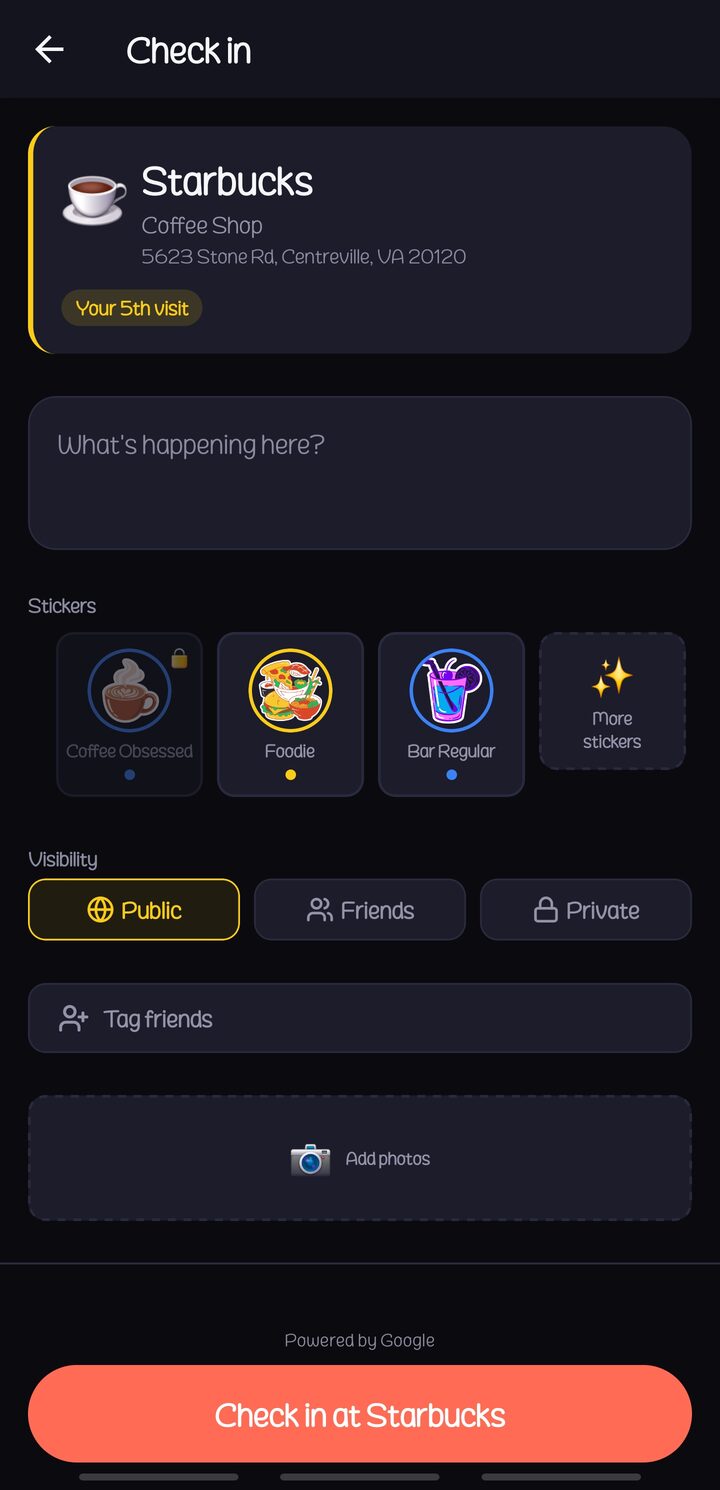
Search nearby venues, check in with notes, photos, and tags. Auto-detect trips when traveling 100+ km from home. Full Foursquare Swarm data import.
Interactive World Heatmap
MapLibre-powered heatmap with year slider to watch your travel history unfold. Country collection tracking and trip route visualization.
Gamification Engine
57 stickers across rarity tiers (Common to Legendary, plus flight and road sets), 32 achievements with XP progression, mayor system, streaks, and competitive leaderboards.
History Feed
Searchable check-in history with filters by date, city, country, category, and tags. Full Foursquare/Swarm import of 6,700+ check-ins with venue details.
Native Mobile App
React Native + Expo SDK 54 with 42 screens, nearby venue picker, MapLibre maps, push notifications, and iOS/Android home screen widgets.
Spotify Integration
Automatically captures what song was playing at each check-in time via Spotify API OAuth connection.
Weather Backfill
Historical weather data retroactively applied to every check-in, including all 6,700+ imported ones. Temperature, conditions, and icons on every card.
Social Features
Follow friends, comment on check-ins, coincidence detector (same venue, same day), feed broadcasts for unlocks, and shared venue lists.
Stats & Analytics
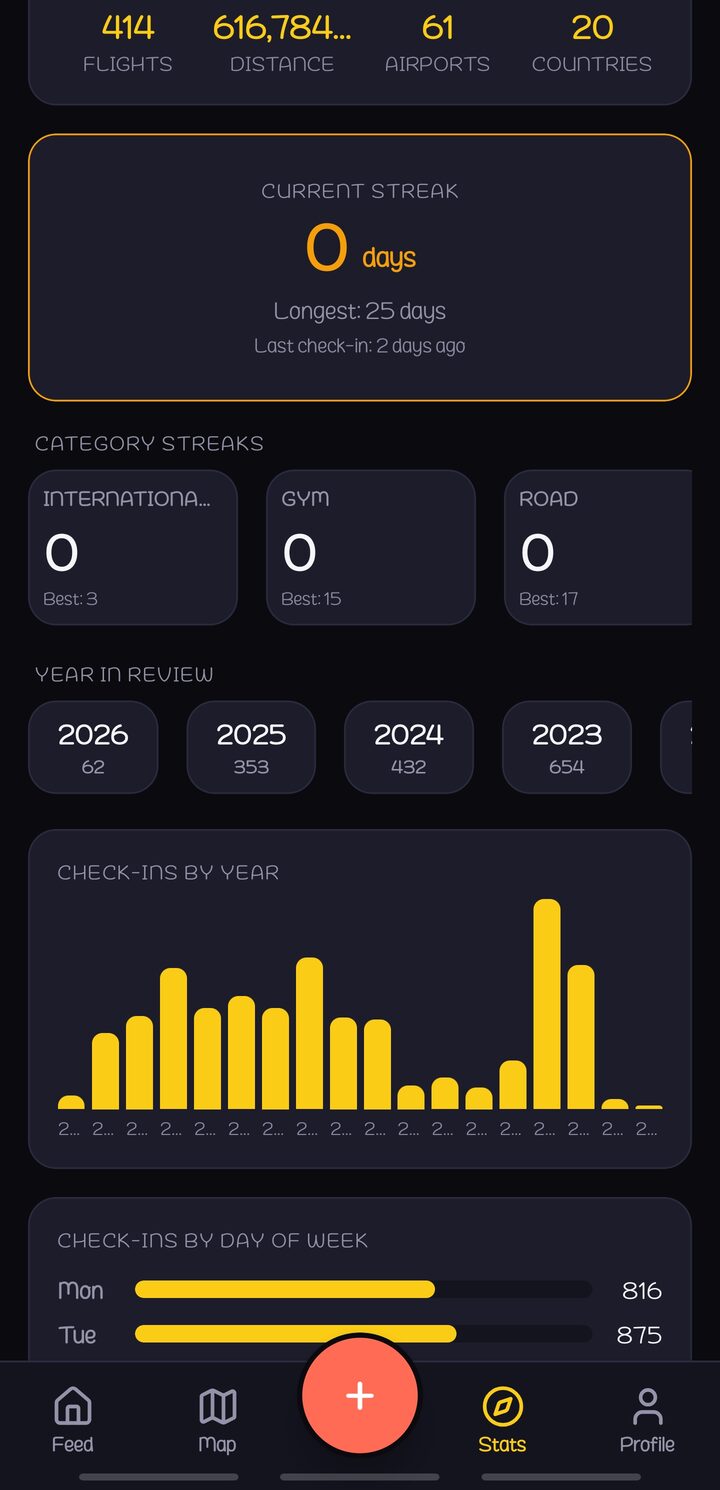
Personal stats dashboard with totals, streaks, XP progression, venue frequency, city breakdowns, and “on this day” memories from previous years.
Lists & Collections
Bucket list, revisit queue (places not visited in 90+ days), custom venue lists, countries collection with progress tracking and first-visit dates.
Admin Dashboard
Analytics, user management, cron job monitoring, venue moderation, system health checks, and audit logging for the entire platform.
Theme & Privacy
Full light/dark theme support across web and mobile, granular privacy controls, profile visibility toggles, and complete data export at any time.
See It in Action
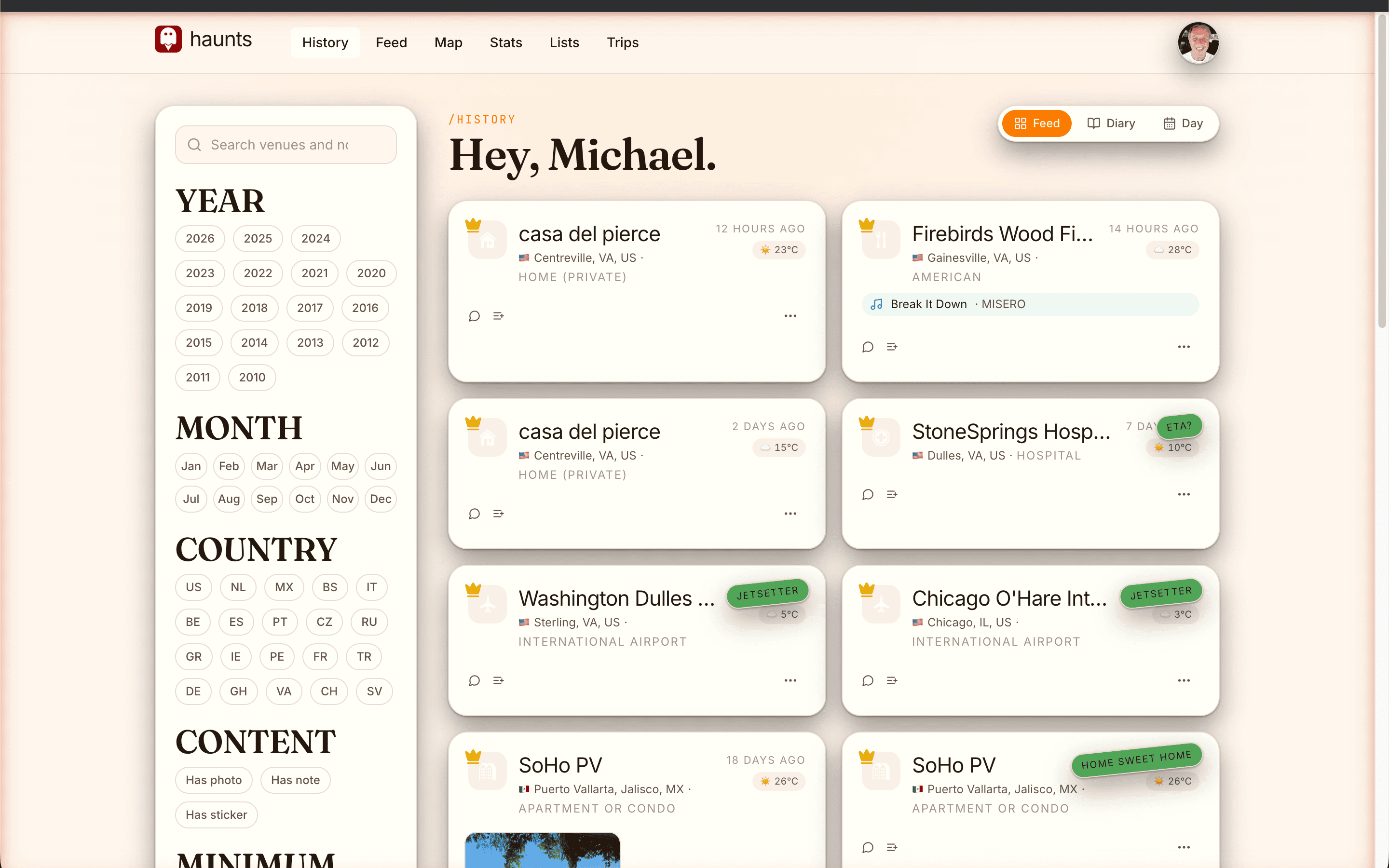
Your Check-In History, Fully Searchable
Every check-in you have ever made, imported from Foursquare Swarm and enriched with weather data, Spotify context, and venue details. Filter by year, city, country, category, or custom tags. Each card shows the venue, timestamp, photos, sticker earned, distance from home, and what song was playing. The feed reaches back through 15 years of location history.
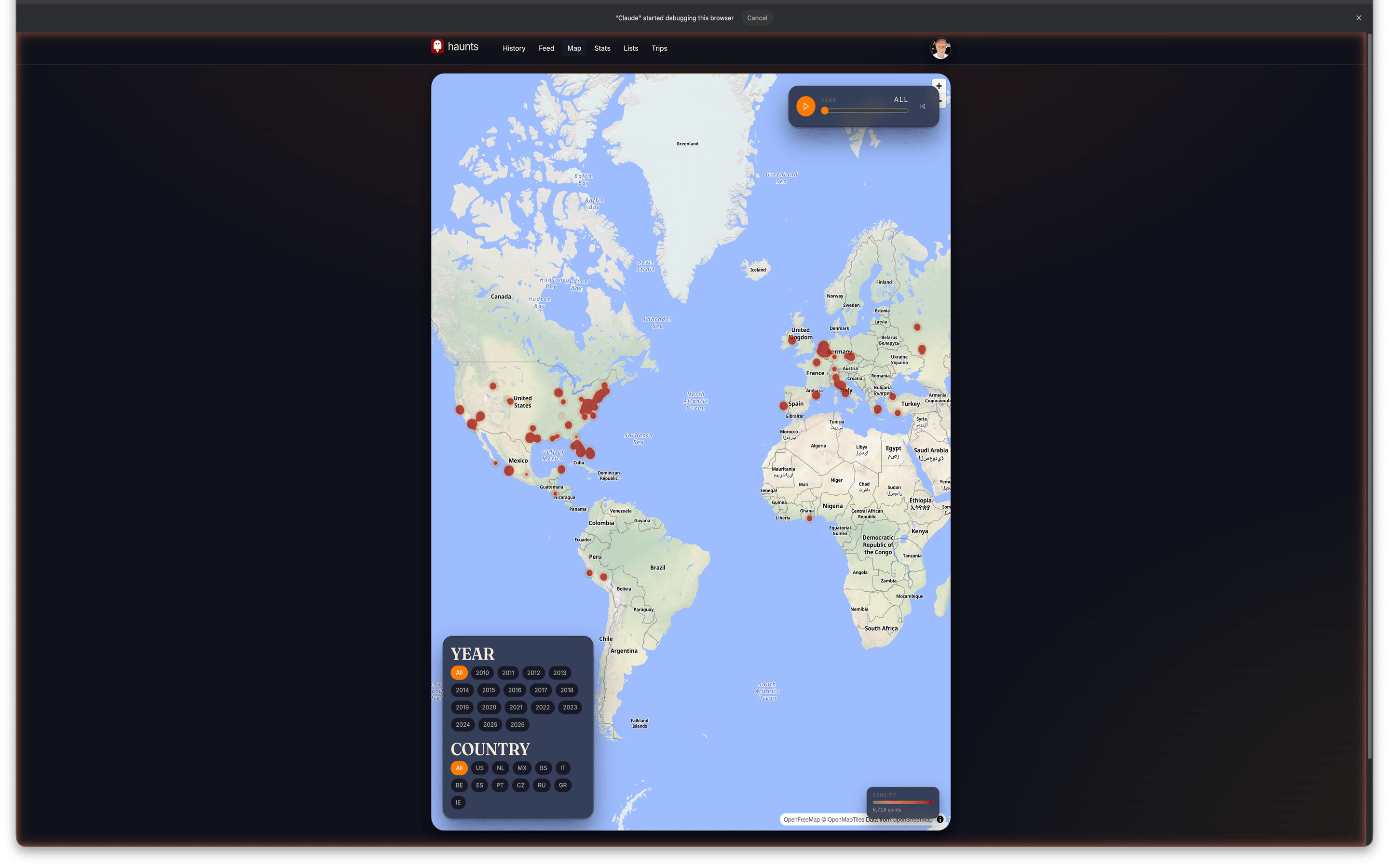
Your World on a Map
An interactive MapLibre heatmap that visualizes every place you have been. Drag the year slider to watch your travel history unfold over time. Clustered venue pins with zoom detail, country collection tracking with first-visit dates, and auto-detected trip routes when you travel 100+ km from home.

57 Stickers and 32 Achievements
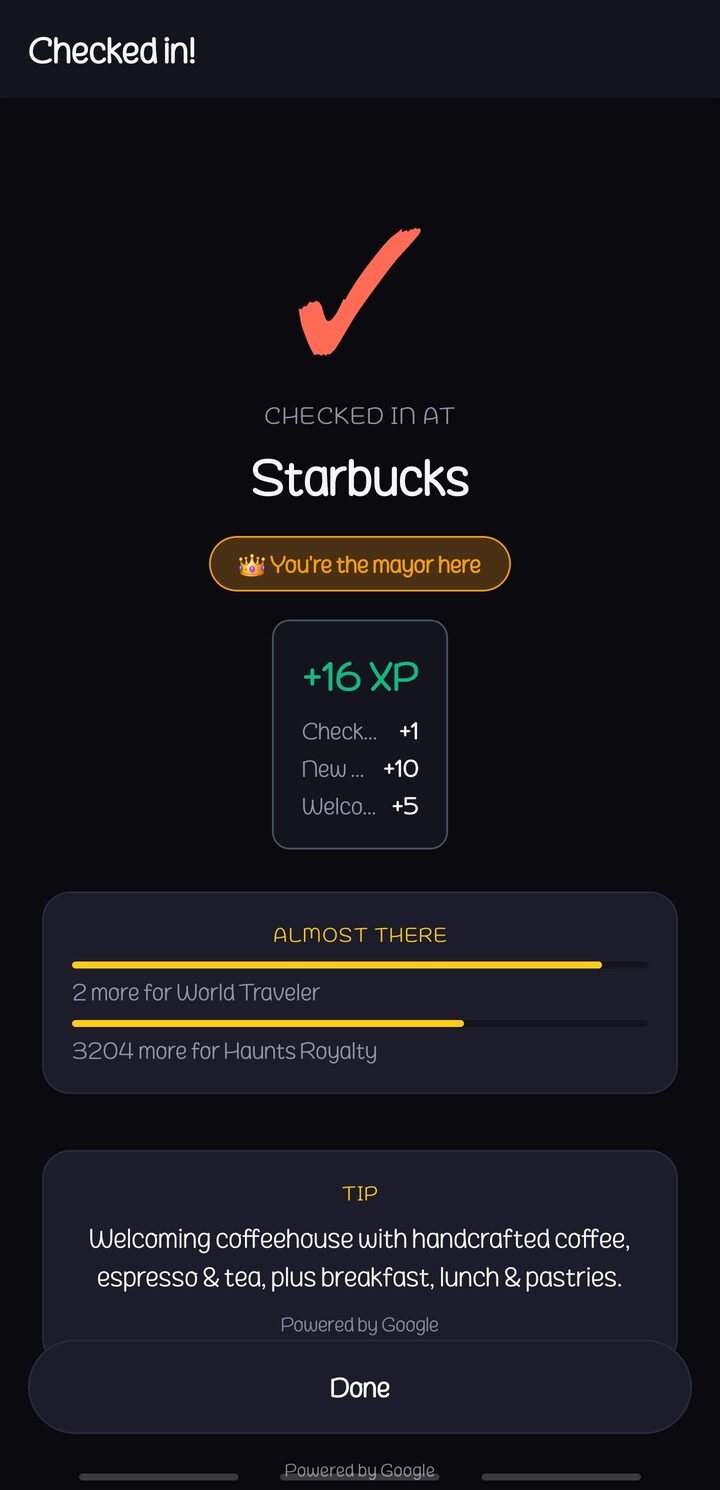
Stickers are assigned automatically from venue category, time of day, and visit frequency, and there are 57 of them across rarity tiers (Common, Rare, Epic, Legendary) plus dedicated flight and road sets. 32 achievements with XP progression unlock as you explore, and you can compete for mayor crowns at your favorite spots, maintain check-in streaks, and climb the leaderboard. Post-check-in nudges mark firsts and flag when an achievement is within reach.
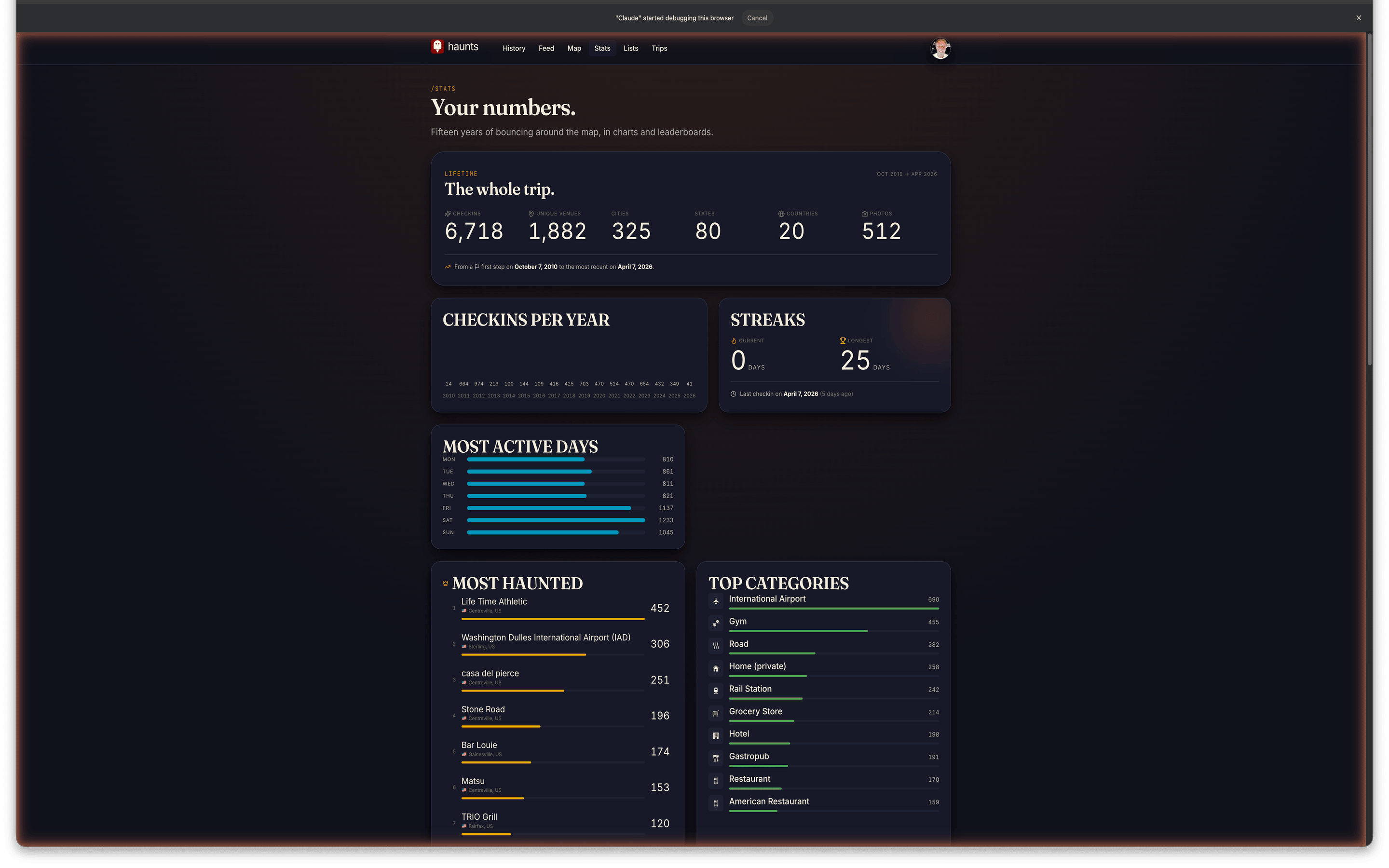
Your Stats at a Glance
A bento-grid stats dashboard with totals for check-ins, unique venues, cities, states, countries, photos, and mayorships. Track your streaks, view venue frequency charts, and relive past years with the year-in-review recap. The “on this day” feature surfaces memories from previous years, and the leaderboard adds friendly competition with week, month, and all-time tabs.
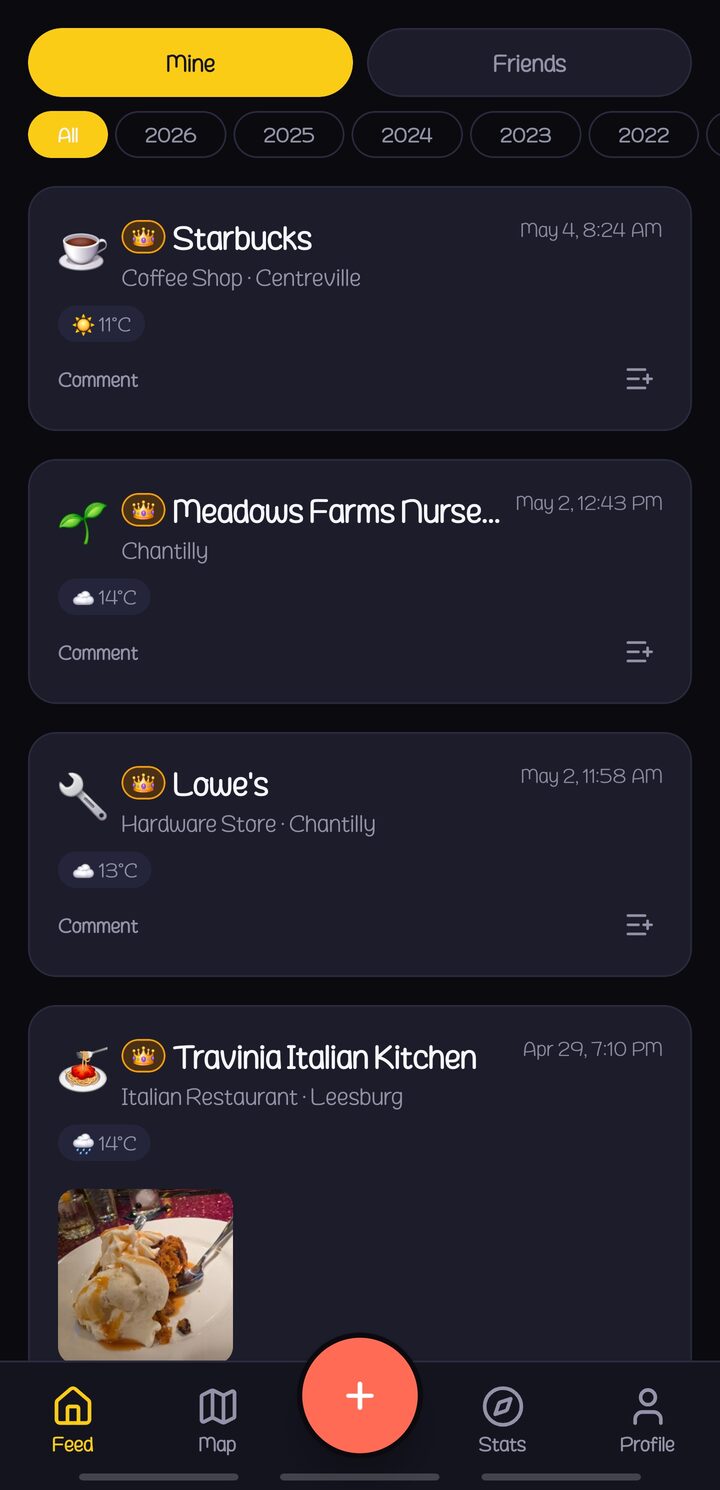
Check In From Anywhere
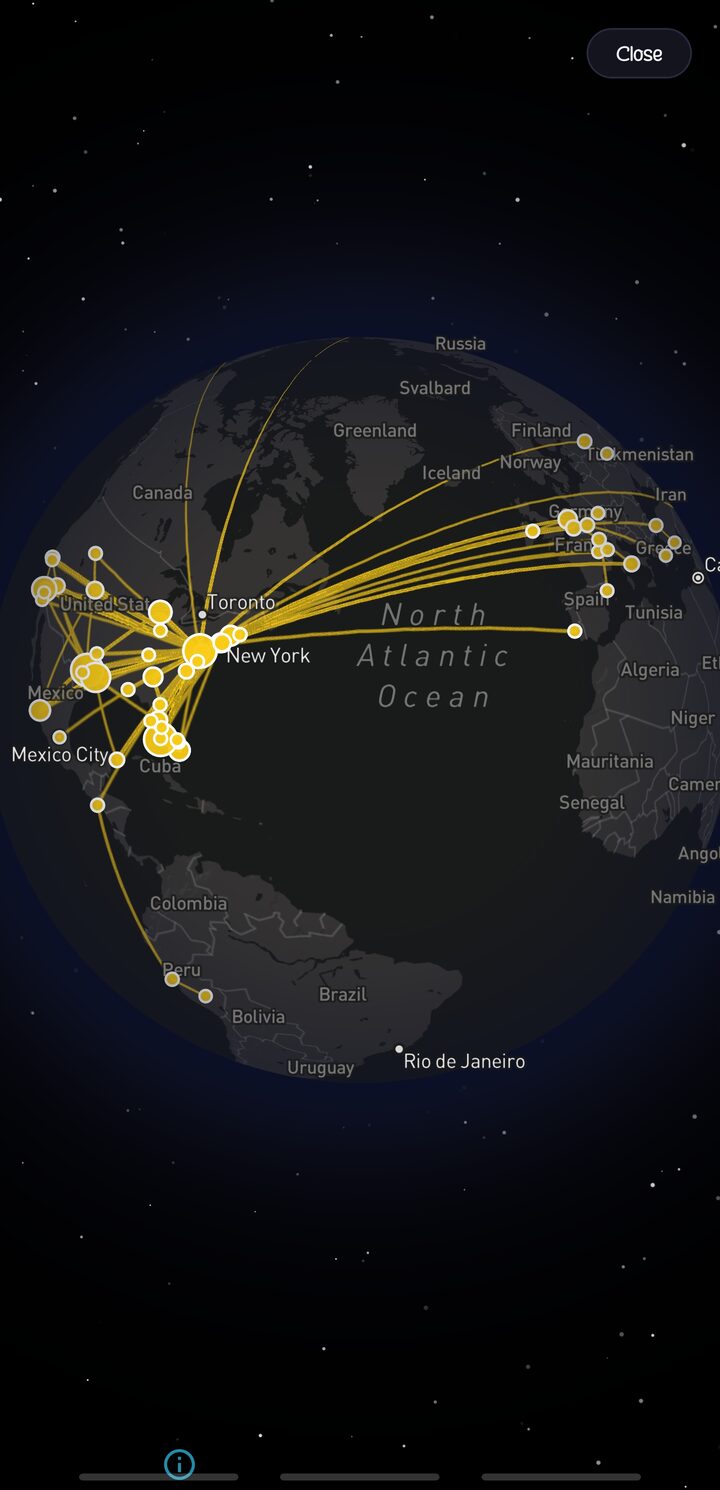
A native React Native and Expo mobile app with nearby venue search, MapLibre maps, a 3D Mapbox globe view, push notifications, and home screen widgets for quick check-ins. Everything syncs instantly with the web app, and an airport check-in now turns into a saved flight on its own.
 Feed
Feed
 Where To?
 Globe
Globe
 Stats
Stats
 Saved
Saved
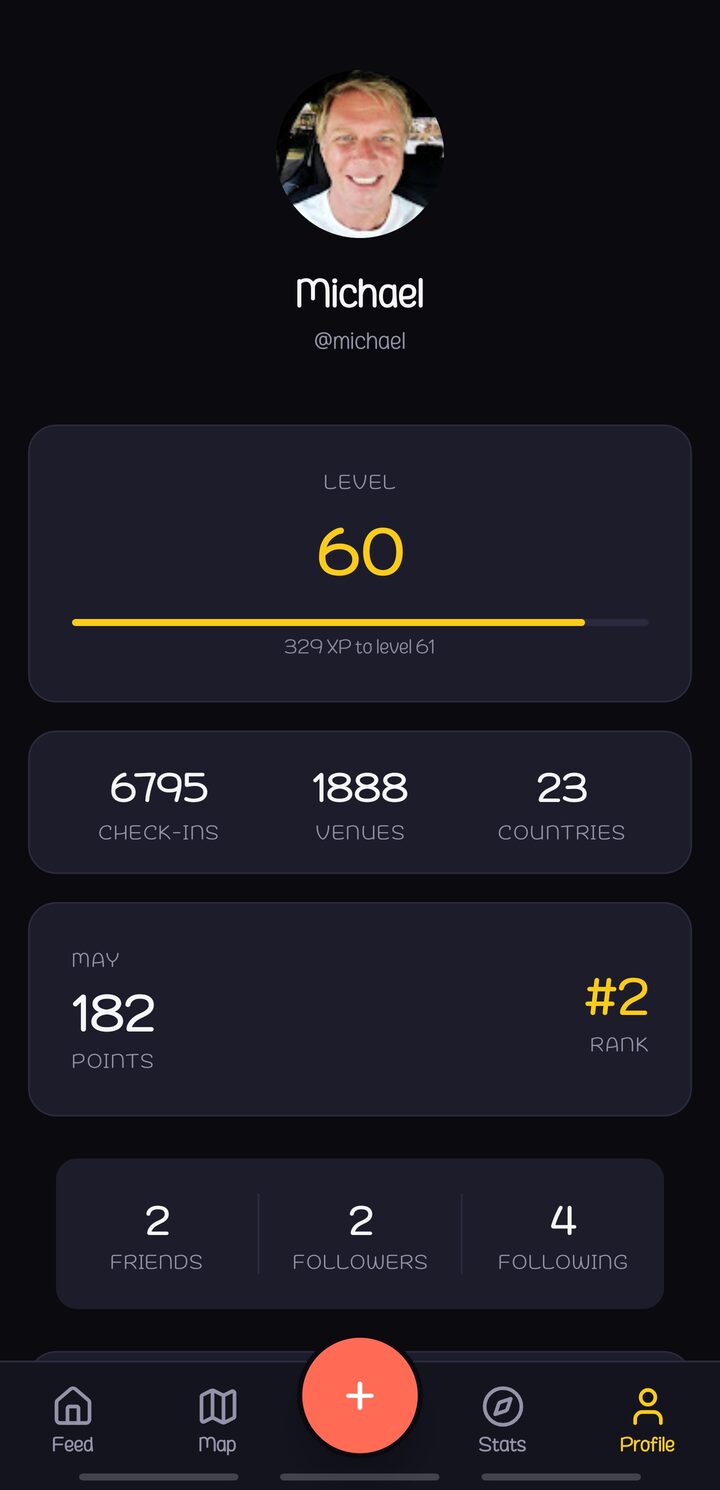 Profile
Technology Stack
Backend & API
Web Application
Mobile Application
Production Infrastructure
A dedicated web server running Apache with PHP-FPM, a separate MySQL 9.6 database server, Cloudflare for DNS and security, and Fastly CDN for photo delivery. 30+ background cron jobs handle weather backfill, Spotify enrichment, streak calculations, achievement evaluation, trip and road detection, video transcoding, AI recap generation, push notifications, and sticker rule processing. OPcache tuning, connection pooling, and query optimization keep response times under 200ms.
Then We Perfected It
After the sprint, the same architect and AI tooling spent every session adding social depth, travel surfaces, media, and the hardening that only comes from using an app daily and fixing what annoys you, which turned a working demo into something solid enough to live in every day.
Pulse Social Feed
Standings with rank deltas, trending venues your friends are visiting, a collapsible map of where everyone is right now, and filter chips by kind, category, and person turn the feed into a live dashboard.
Road Trips
A declared drive snaps to real roads on the map, with distance and states crossed. Shared road trips draw a colored line per driver, rank everyone on miles, and award road-specific stickers.
Trip Albums
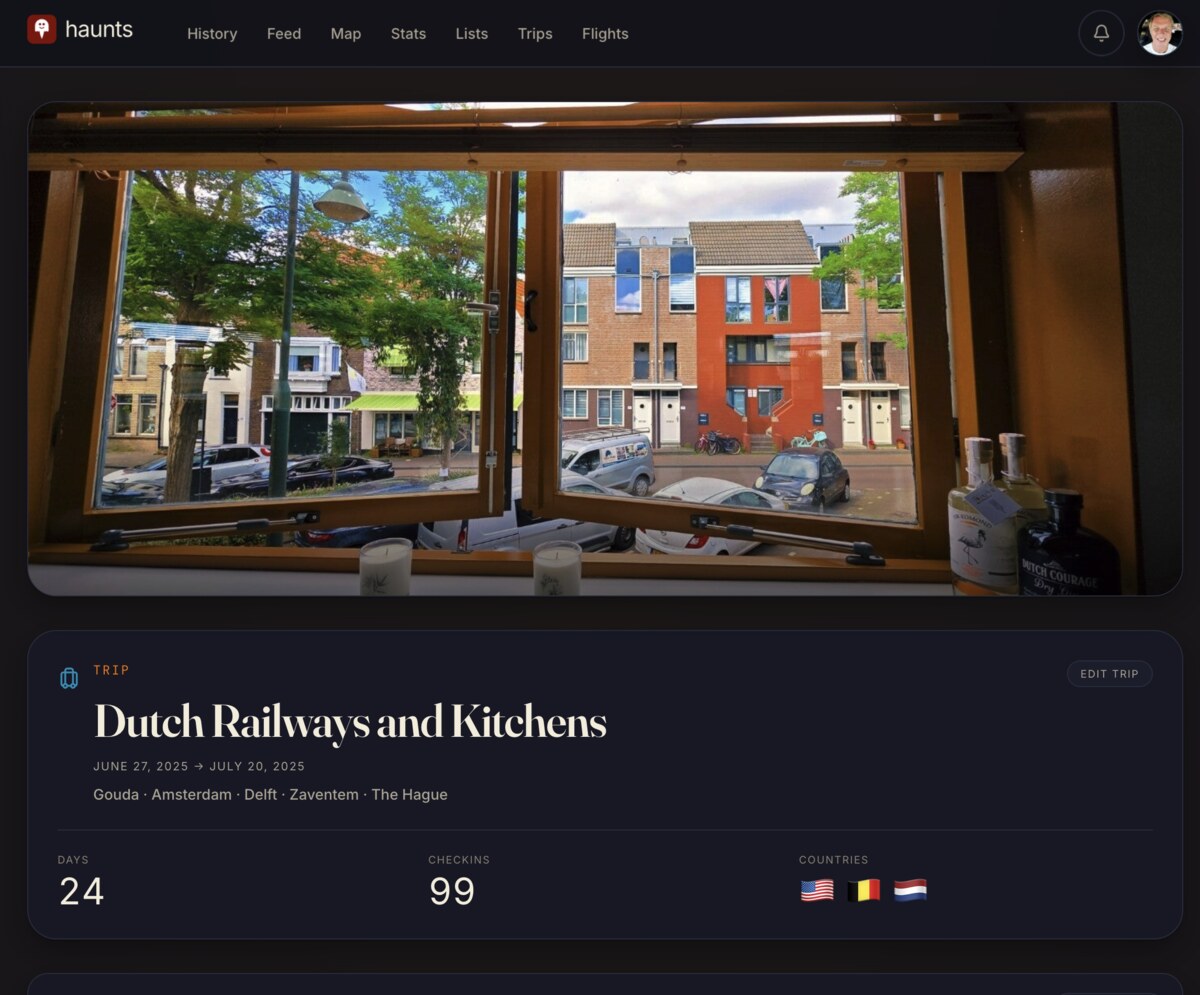
Photo and video albums on every trip, with resumable large-video upload and async transcoding. Shared trips let companions contribute, and everything is readable as a public recap page.
Points & XP Engine
Per-checkin scoring with sticker multipliers, first-visit bonuses, and milestone rewards. Each check-in shows a tier breakdown so you know exactly what you earned and why.
Friends & Social Graph
Search by username, QR invites, contact import, and a unified activity inbox for requests. A public profile atlas mirrors the web, so anyone can browse your trips, flights, and photos.
Live Swarm Sync
Beyond the one-time import: an ongoing, rate-capped connection that keeps pulling new Swarm check-ins into Haunts automatically, deduped against what you have already, with a reconnect path when it stalls.
AI Recaps & Reviews
Claude Sonnet and Haiku write trip recaps, suggest trip titles, and summarize the reviews on a venue.
Platform Maturity
A 30-day trash bin recovers deleted trips, photos, and check-ins, and the app has had an accessibility pass, a performance pass, and green test suites across web and mobile.
110 database migrations, 350+ components across web and mobile, 250K+ lines of code.
From Airport Check-In to Saved Flight
The first time you check in at the gate, the app saves your flight before you have boarded. The new flights feature in Haunts is built around that moment.
By the time the plane lands, the route is on the map, the distance is calculated, the airline and flight number have been pulled from the post you wrote at the gate, and the leg is grouped into a trip with a title the app suggested for you.
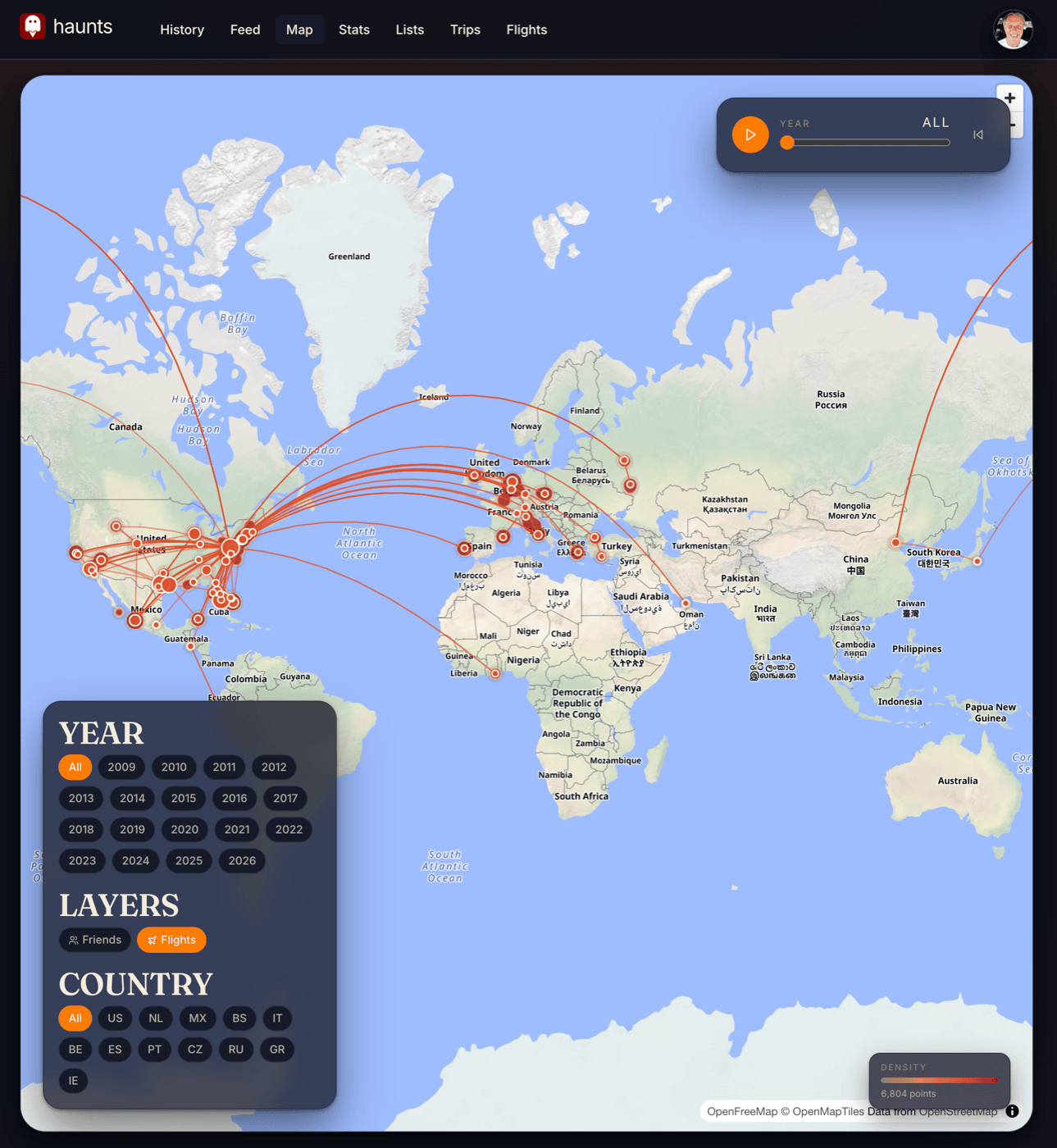
Every Flight, On One Map
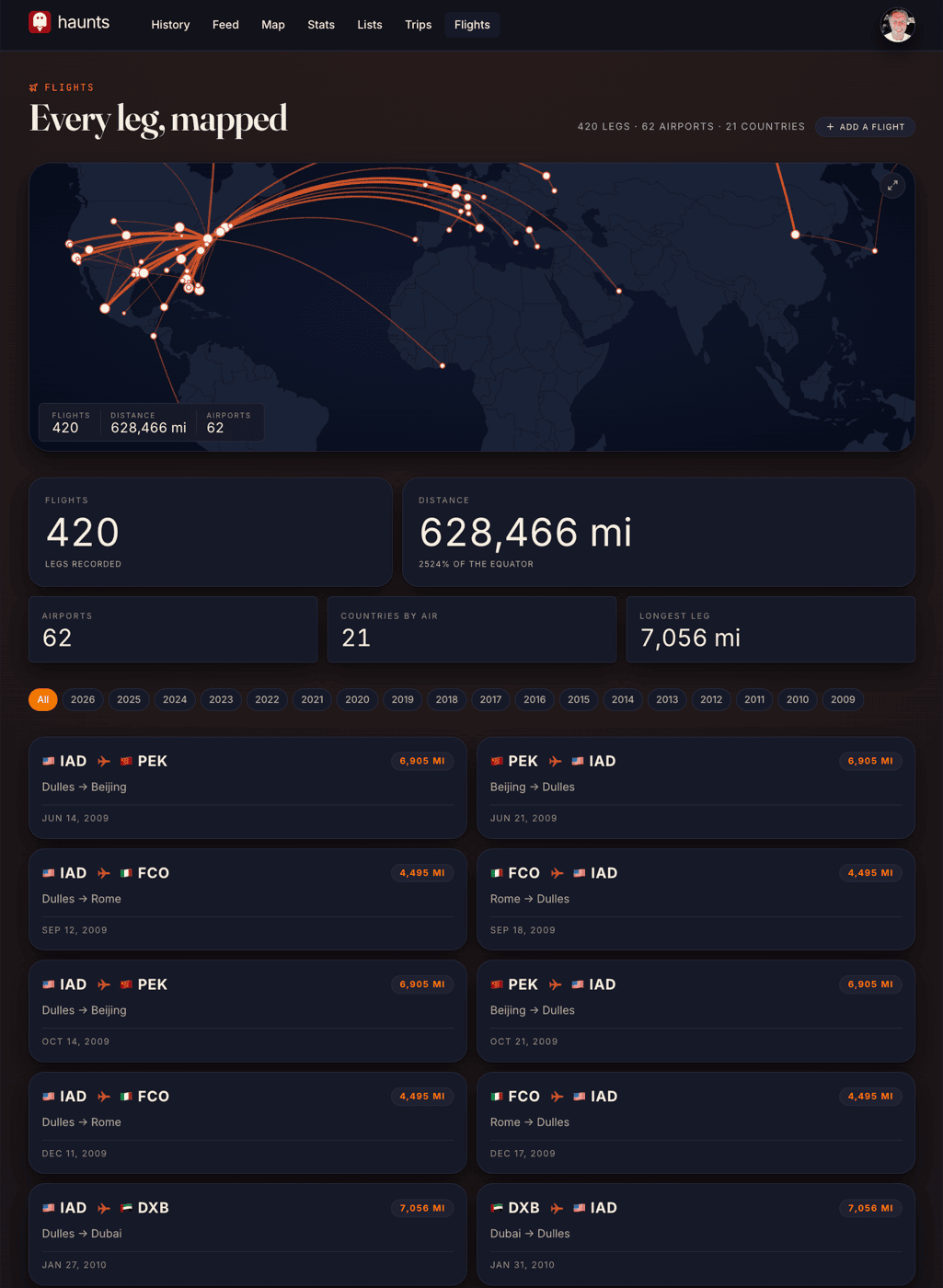
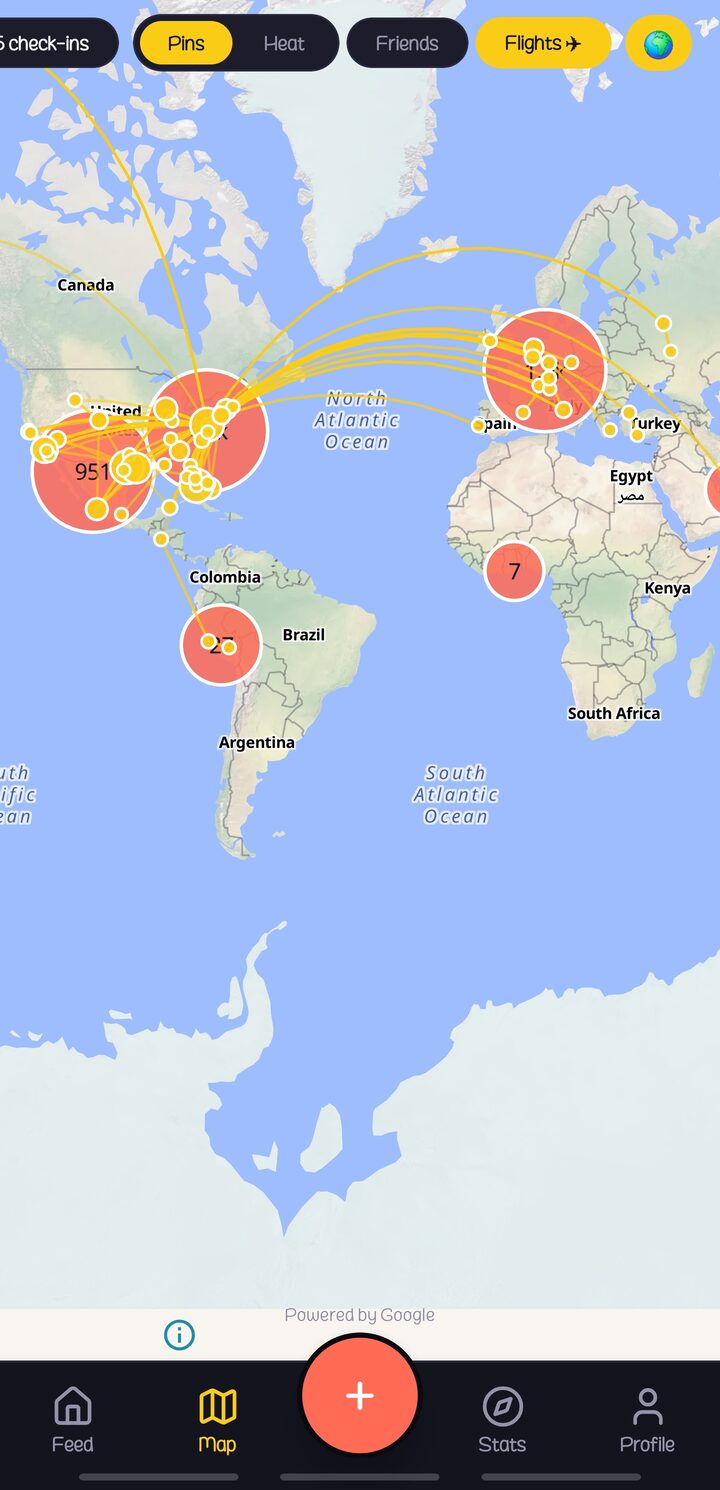
Open the flights page on the web and every leg you have ever flown is drawn as a single arc on a dark world map. The arcs follow the curve of the earth, as flights do, so a long route across the Pacific reads correctly instead of bending back through the wrong half of the world. A counter across the top tracks flights taken, airports passed through, and countries reached by air. A row of year chips below the map lets you scope the view to a single year without losing the rest of the picture.
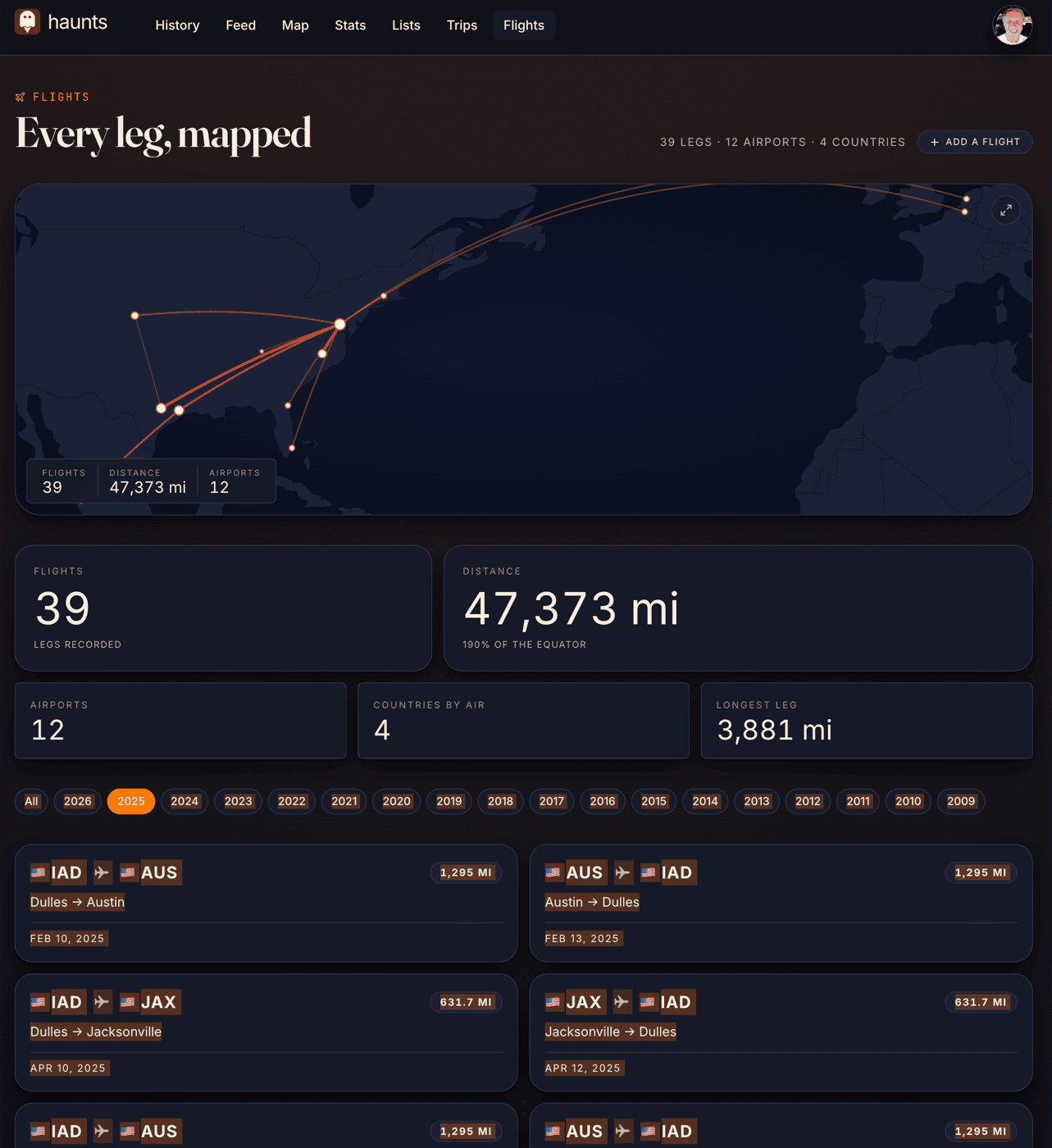
Year Filters, Totals, Tap-to-Detail
Choosing a year narrows the totals and arcs to that window and rebuilds the list underneath in chronological order. A single-arc detail card opens from any flight in the list, with edit, share, visibility, and delete actions in one row, plus links back to the check-ins on either end of the leg. Sharing from that card produces a token-protected link that anyone can open in a browser without an account or a Haunts install, and when the link gets pasted into iMessage, the preview carries a card with the route on it.
Saved as LAX to JFK
Walk up to the gate at LAX, open the app, tap check in, and the airport venue appears with one extra field at the bottom asking where you are going, so picking JFK from the typeahead finishes the job. By the time the feed loads on the next screen the flight card is already there, the arc is already drawn, the distance reads 2,475 miles, and a small confirmation line shows the flight was saved as LAX to JFK. If you forgot to check in at the destination, a half-flight completion flow lets you pick the missing endpoint after the fact, and the picker works in either direction so a stray check-in at FRA can become an origin or a destination depending on how you remember the leg.
The Trip Page
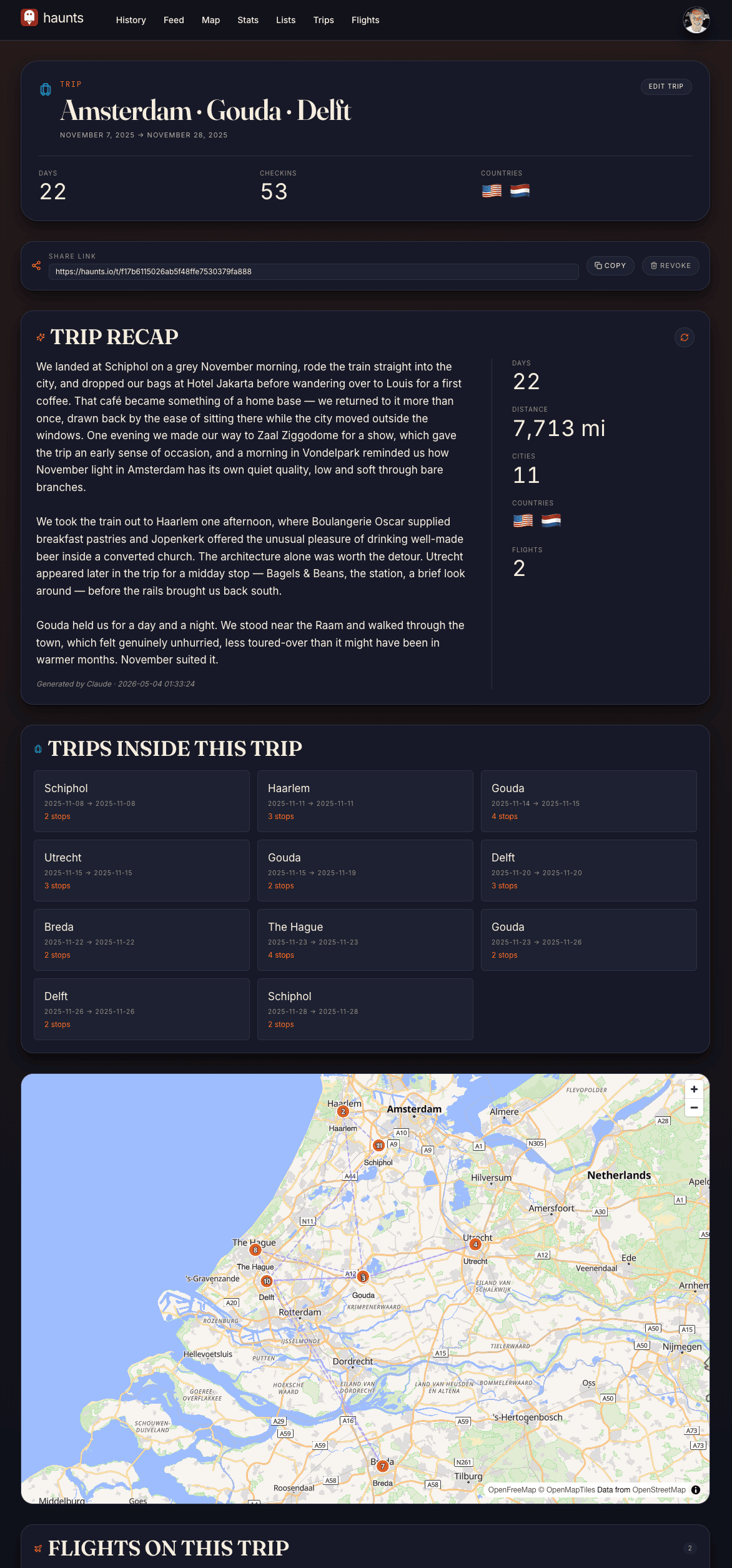
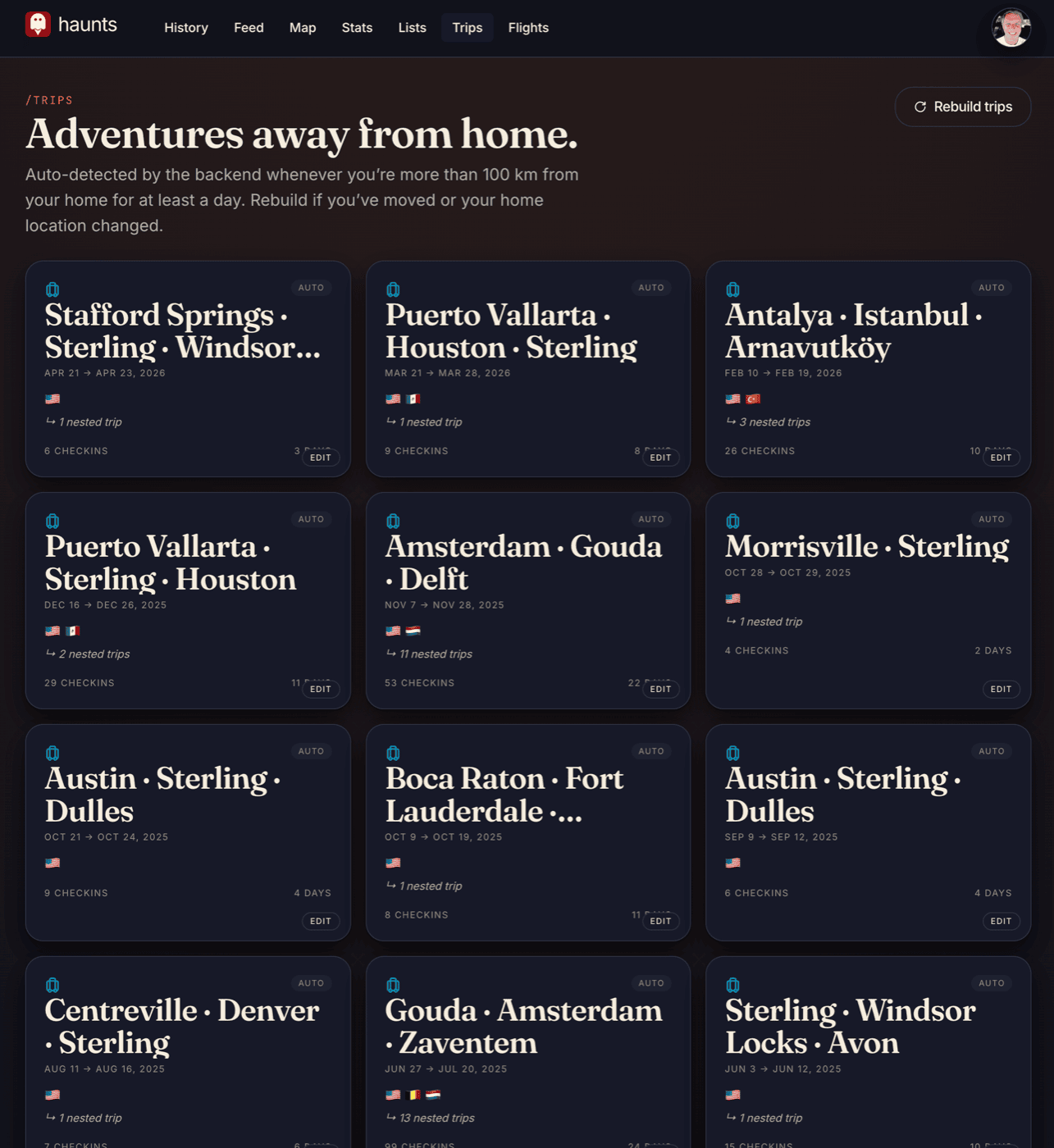
A parent trip with several legs and several cities renders the arc map for the flights, with a regional sub-trip atlas underneath. Numbered pins mark the cities you visited in chronological order and a dashed journey line joins them, while a recap rail to the right counts days, distance, cities, countries, and flights for the trip as a whole.
Shareable Trip Pages
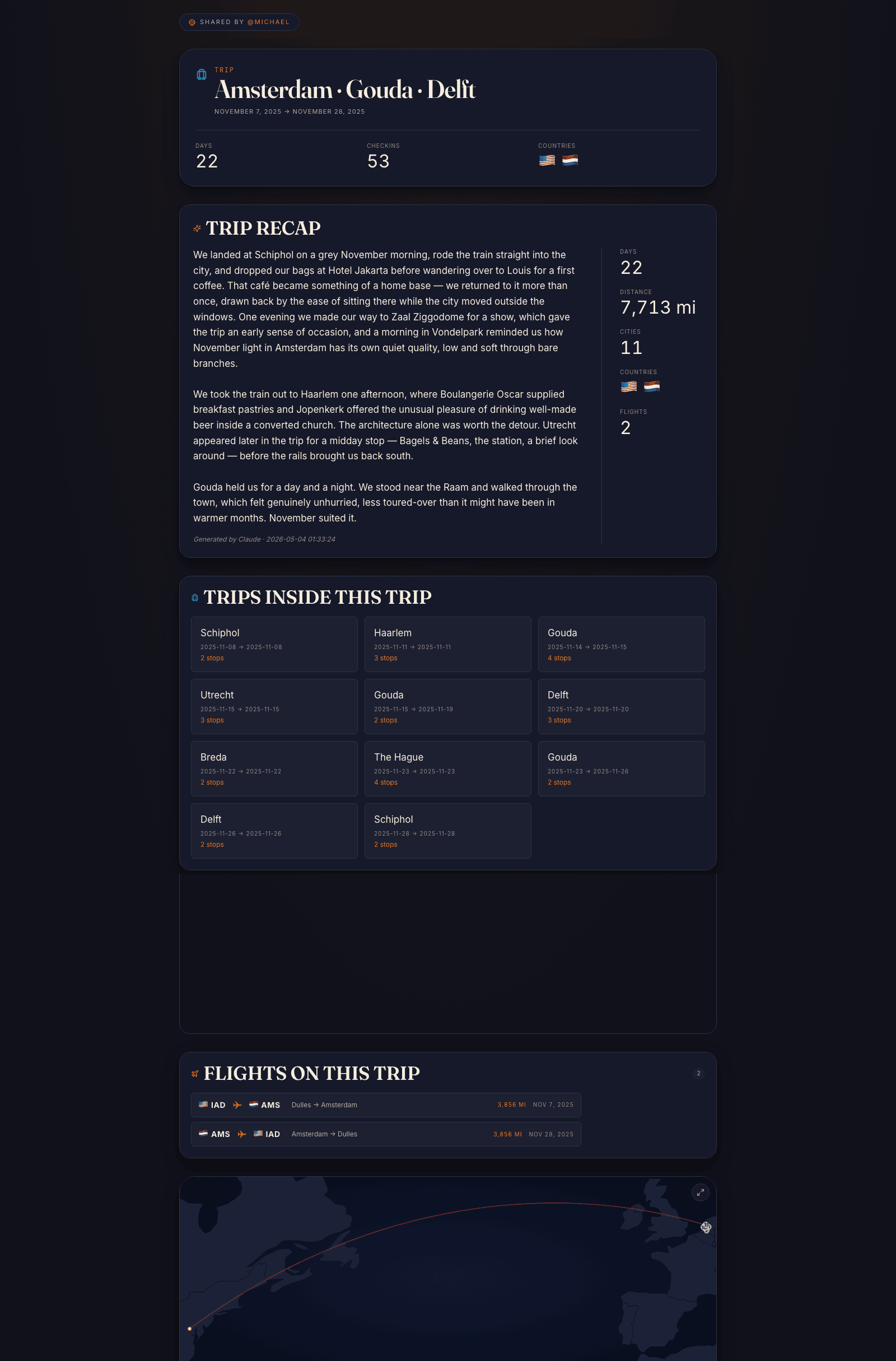
Haunts titles every trip from the cities it touches, adds an
arc map, and writes a recap from the check-ins, the venues,
and the timeline of the legs. A share token minted from the
trip detail page turns the same page into a public link. A
guest who has never installed Haunts can open it, read the
trip end to end, see the flight arcs and the sub-trip atlas,
and read the AI-generated recap without an account. The page
is served from /t/{token} with Open Graph
previews, so the link carries a card when it gets pasted
into iMessage. The one below is a real trip, twenty-two days
through Amsterdam, Gouda, and Delft, written and rendered
without anyone typing a word.
On the Wrist
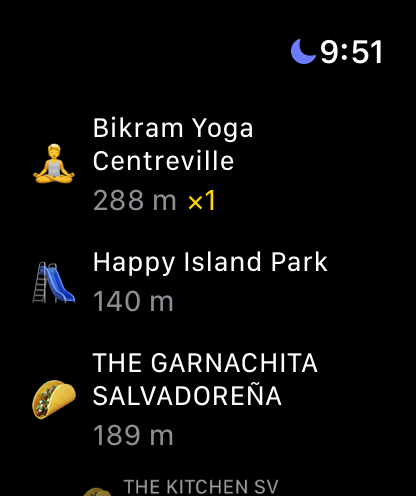
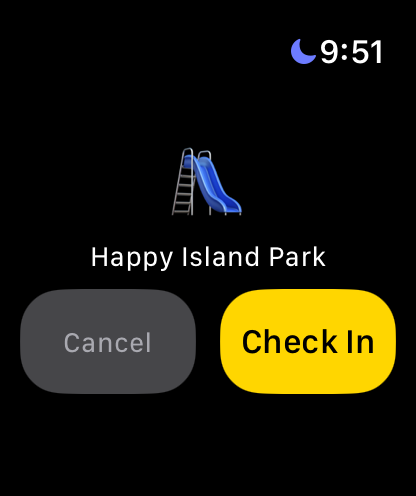
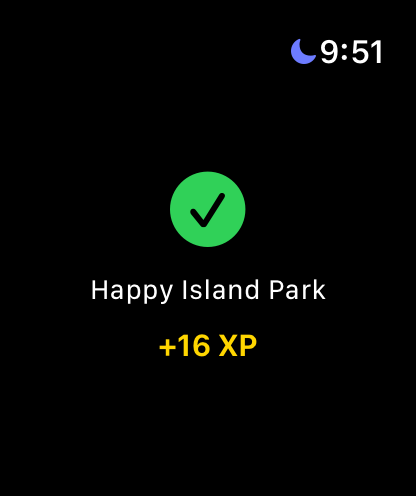
Haunts ships on both wrists: a native Apple Watch app in SwiftUI and a native Wear OS app in Kotlin. The work since launch has been to make each feel like an extension of the phone instead of a second app to log into. The watch signs in through the phone automatically, falls back to the last known location when GPS is slow to settle, and recovers cleanly when the link between the two devices stalls. At a venue, you raise your wrist and tap to confirm, with no typing.
In Your Car
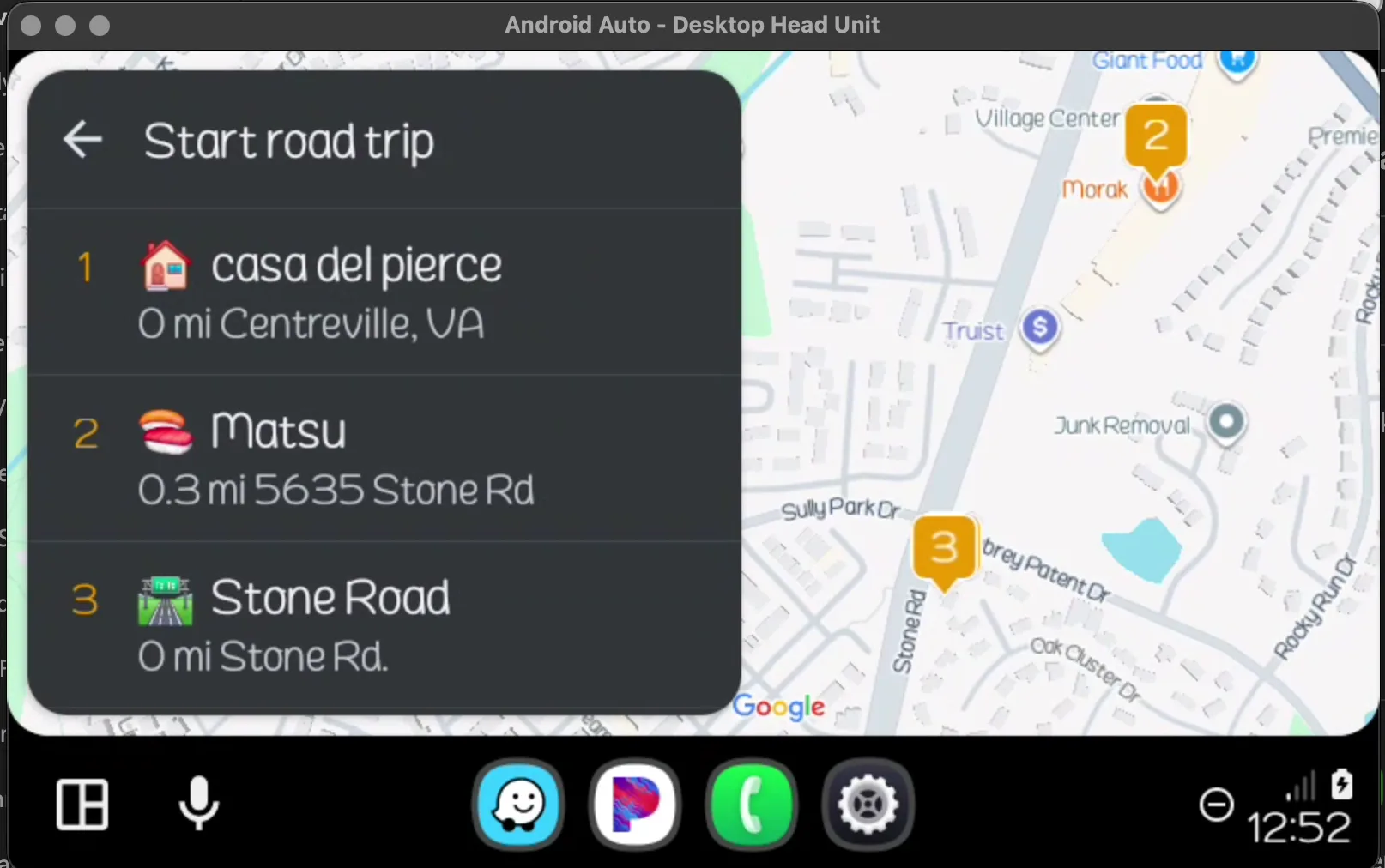
Haunts runs on your car’s display through Android Auto and CarPlay. On Android Auto your route traces in real time as you drive, nearby places sit one tap away, and you can start, pause, or end a road trip right from the dash without reaching for your phone.


The Vibe-Coding Advantage
React web app, React Native iOS and Android, native Apple Watch and Wear OS companions, PHP REST API, XP scoring engine, full social graph, gamification, and 30+ background jobs, with all five surfaces from one architect.
5 Days Instead of 5 Months
Ship a complete check-in platform with web app, mobile app, gamification, and social features in under a week.
Production Quality
120+ API endpoints, Firebase authentication, push notifications, native home screen widgets, data import/export, and a full admin dashboard, with every pattern reviewed by a senior architect.
Full Stack, One Architect
Backend API, React web frontend, React Native mobile app, background jobs, third-party integrations, infrastructure setup: all designed and shipped by one person with AI assistance.
What the Whole Stack Would Cost the Traditional Way
Building everything Haunts has become through a traditional agency would mean assembling a team of a dozen specialists and keeping them coordinated for the better part of two years. The team would start with a senior backend engineer for the API and the cron pipelines, a web frontend lead for the React app, and a mobile lead for the React Native app. An iOS specialist would handle the widgets, Apple sign-in, and the Apple Watch app, alongside an Android specialist who also knows Wear OS, a rare pairing on its own. The team would also include a mapping engineer who knows how to draw flights the way they fly and snap road trips to real roads, an AI engineer for the airline extraction, the trip summaries, and the venue review write-ups, and a media engineer for the chunked video pipeline and the transcoding workers. The remaining four are a DevOps engineer for the servers and the CDN tuning, a designer for the light and dark themes, the sticker rarity tiers, and the share cards, a QA engineer to keep the seams from leaking, and a project manager to keep the rest from stepping on each other.
The scope starts with a web app, a native mobile app, two watch apps, more than a hundred and twenty REST API endpoints, and thirty-plus background jobs. On top of those sit a full social graph with username search and contact import, a points and XP engine with sticker multipliers and milestone bonuses, AI-driven trip summaries and venue review write-ups, and a live Swarm sync that keeps pulling new check-ins. The travel side adds a flight atlas that draws every leg as an arc across a world map, road trips that snap to real roads with per-driver routes, and photo and video trip albums with a transcoding pipeline. Share tokens turn any trip into a public preview link, and image share cards are rendered for iMessage and X. A hundred and ten database migrations hold it all together, and the whole stack adds up to about 250K lines of production code. At 2025 US agency rates of $175–$300/hour per specialist over eighteen to twenty-four months, the math lands at $2M to $4M, while one architect with AI tooling delivered the same result by shipping the platform in a five-day sprint and perfecting it over the two months since.
Tell Us What You Want Built
You have just seen five surfaces, a flight atlas, and 250K lines of production code from one architect, and a few lines about your project are enough for us to tell you what it takes.