The Notebook

My ideas went into a paper notebook, and when the notebook wasn't within reach they went into whatever notes app was open on my phone or laptop. Writing an idea down felt like progress, but I rarely went back to read any of it, so an idea from March sitting in a notebook on the shelf might as well never have happened. Coding with AI made the gap wider, because the ideas came in faster once I could build them in an afternoon, and the list of things I meant to get to grew every week.

JIRA handles sprints, permissions and reporting for hundreds of people, which is why companies pay for it, and for a team with the budget and someone to look after it, it's the standard answer for tracking software work and a good one. For one person running several projects, most of that is overhead, a monthly bill and a workflow built around handoffs between people I don't have. JIRA is built around agile, a project-management style, and the part of it that works for me is a board with columns where I can see all my ideas and all the work in progress at once, without paying for or maintaining everything around it.

A Board for One Person

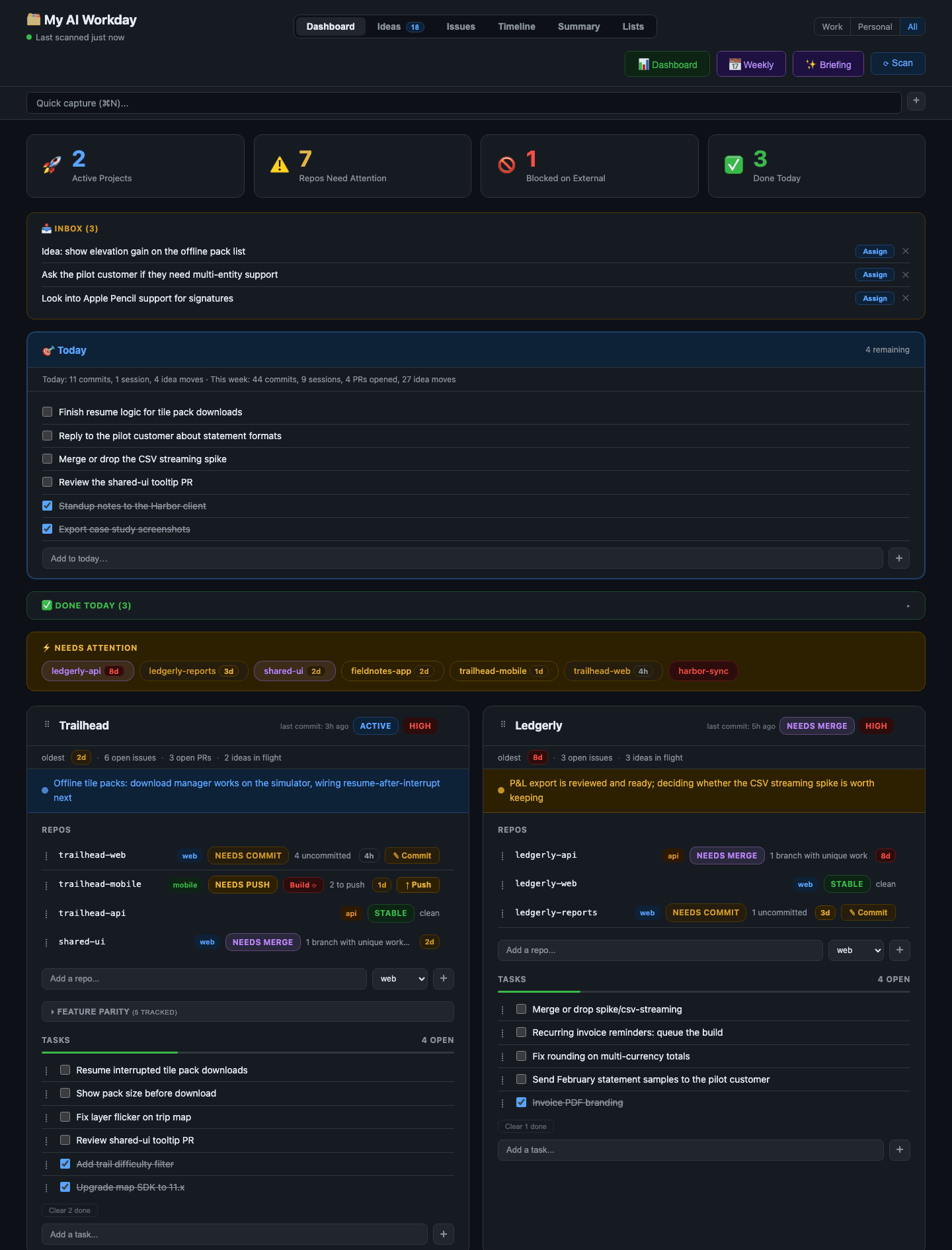
The first version went up on April 27, built from a single 388-line prompt describing a dashboard for about six projects and 23 git repositories, the folders that hold each project's code and its history. Each project got a card with a task list, and each repository on it showed what needed my attention: changes not yet saved to that history, and saved work still waiting to be pushed up to GitHub. AI sessions commit work faster than I can review it, and by the end of a week I had lost track of which repositories held uncommitted work or a side branch, a separate copy of the code for trying something, that never merged back in, so in August the scan grew to cover branches too. Every signal on a card now carries an age, so a week-old stray branch looks different from this morning's edits.

My AI Workday dashboard with project cards, repository status and age pills, a Today list and an inbox The dashboard, filled with invented projects for this post, since my own board holds client work. Each card is a project, and each repository on it shows what is waiting on a person.

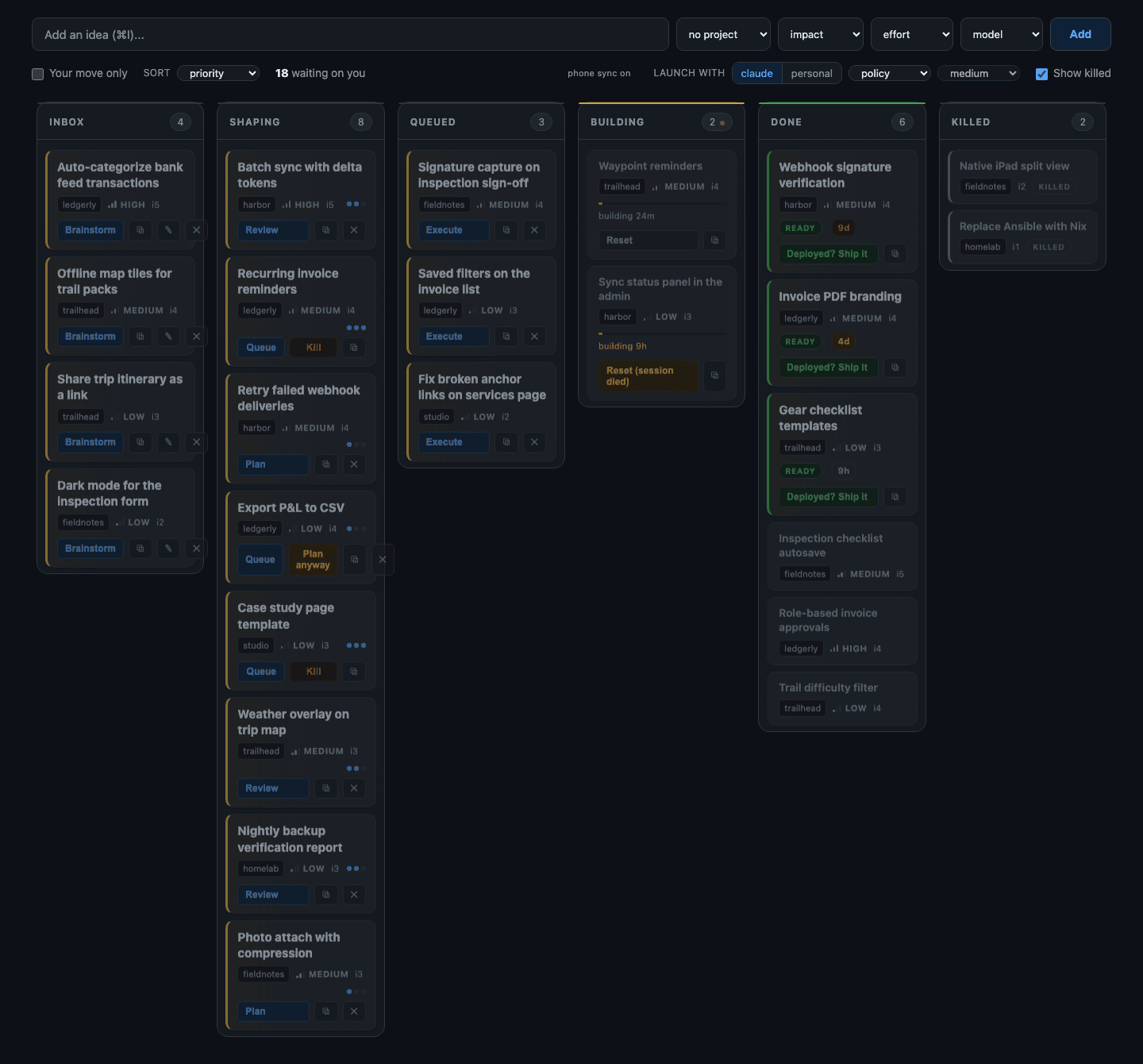
The Ideas board went live on August 22, almost four months later, and that's the piece that replaced the notebook. An idea goes into the inbox in a few seconds with a keyboard shortcut on the Mac or from my phone, and from there it moves left to right across the columns until it ships or gets killed with a written reason. It's the board I wanted from JIRA, sized for one person and kept in a single file on my own machine instead of a subscription.

Ideas board with columns from inbox through shipped The Ideas board. Every column move runs a step of the process, and the cards waiting on me are marked so I can find them first.

I wrote about this board once before, in the six-month Haunts.IO post, back when it was called My Day and had been running for three weeks. Every project I run goes through it now, and the public version is called My AI Workday.

From Board to Catalog

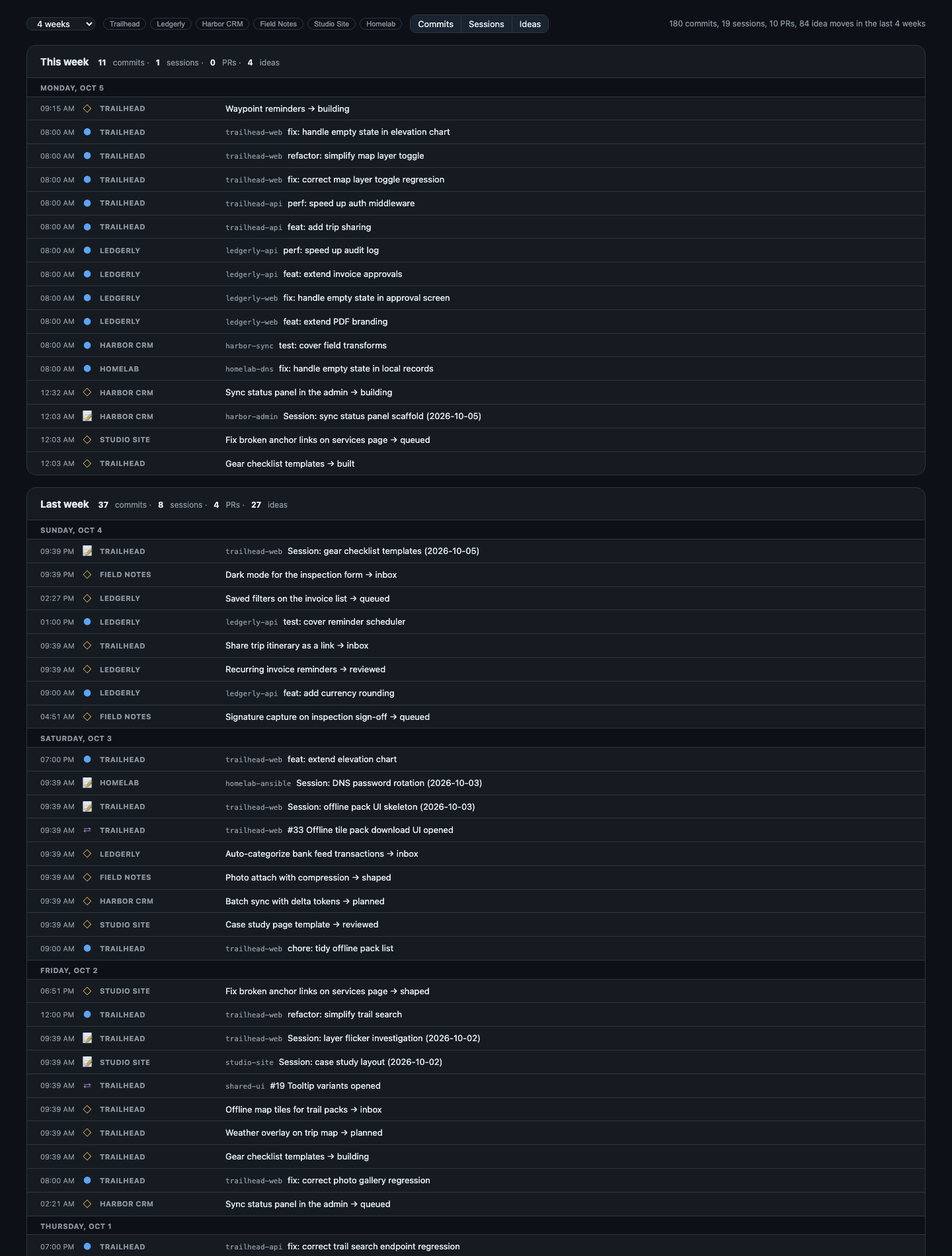
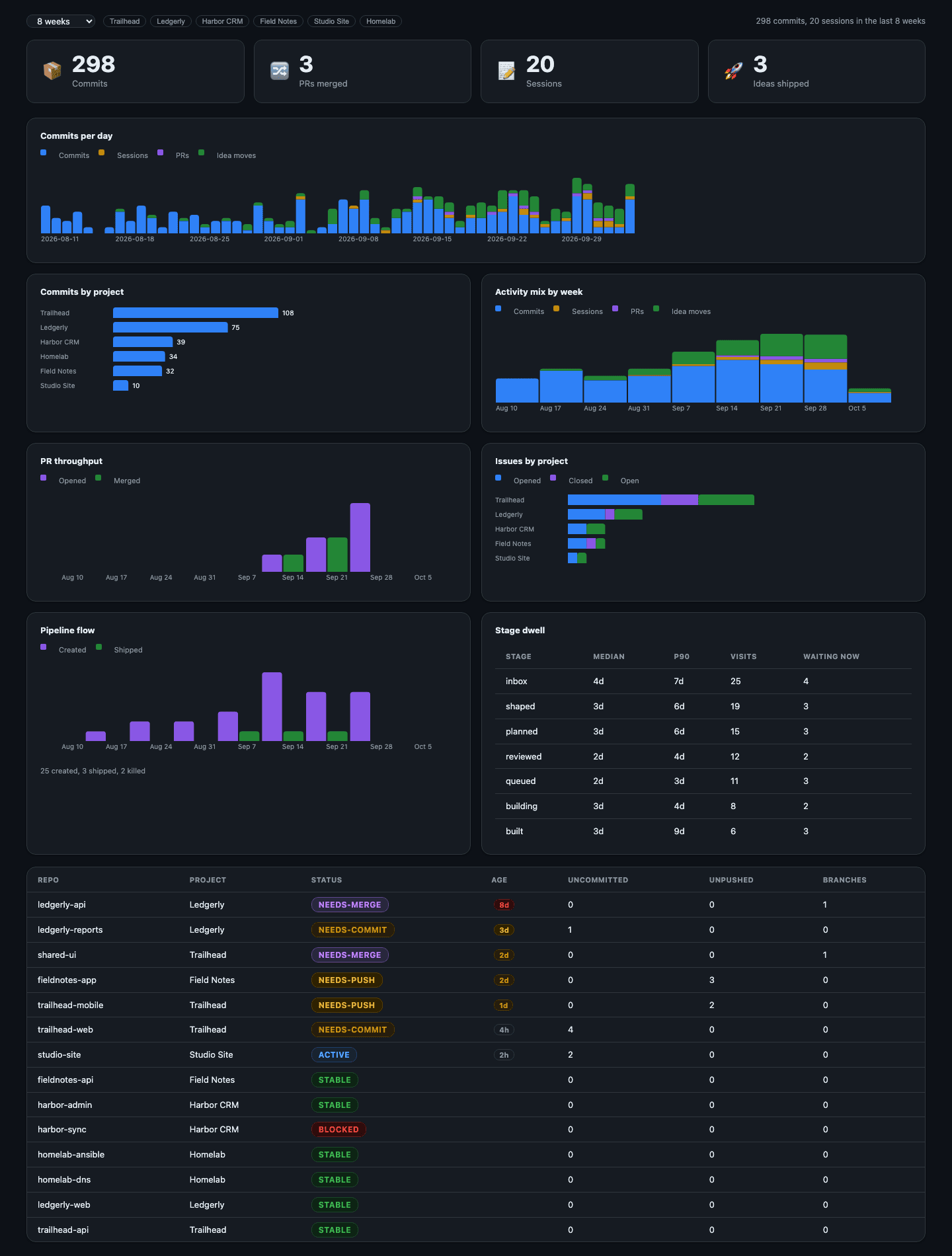
An Issues view pulls the GitHub issues and pull requests (proposed changes waiting to be merged) for each project into one list, and a Timeline lays out commits, pull requests and idea moves week by week. A Summary page charts how long ideas sit in each column and which repositories need care, and a Today list starts empty every morning next to a short AI briefing that reads the whole board and suggests what to work on first. I kept adding views like these once all my ideas and commits were in one place.

Timeline view showing commits, pull requests and idea moves grouped by week The Timeline, again with invented projects. Commits, pull requests and idea moves land in the week they happened.

None of that was in the plan when I started, since I built the tool only to stop losing ideas. Finding out what shipped on a project last month used to mean digging through chat history and commit logs, and now it's one view away.

Summary view with stat tiles, pipeline flow and repository health The Summary view: how many ideas are in each column, how long they wait there, and which repositories need attention.

Skills as Guardrails

Claude Code, the AI coding tool I use most, lets you write a skill, a plain text file of instructions that loads when you type a slash command such as /idea-plan. Each column on the board has a skill behind it, so moving an idea forward always runs the same steps in the same order, including the ones I would be tempted to skip on a busy day.
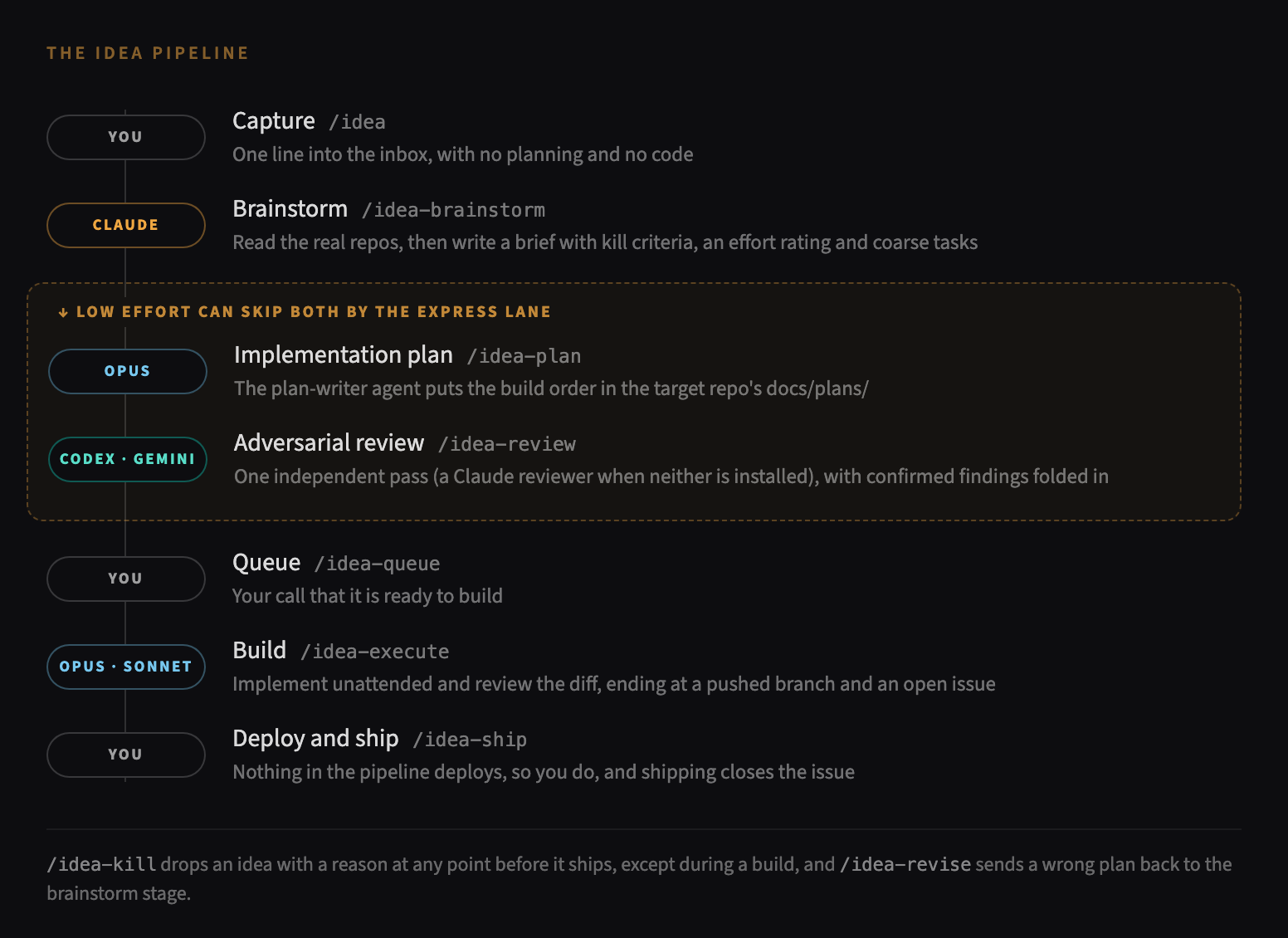
The idea pipeline: capture, brainstorm, plan, adversarial review, queue, build and ship, with an express lane for low-effort ideas The pipeline. Small, low-risk ideas can take the express lane past planning and review.

/idea captures an idea and stops there, with no planning and no code, because a quick note that turns into a build is how half-formed ideas end up in a codebase. /idea-brainstorm reads the project's code and writes a short brief with an effort rating and the conditions that would kill the idea, and /idea-plan writes a step-by-step plan into the project itself, where the next session can read it. The board won't mark an idea planned until that plan file exists, or built until a GitHub issue records what was done, so it can never show progress that didn't happen.

/idea-review hands the plan to a separate reviewer with one job, to find what the plan got wrong, and it can read the plan but not change it. In my setup that reviewer is a model from a different company, Codex from OpenAI or Gemini from Google, and the plugin falls back to a fresh Claude reviewer when neither is installed. The model that wrote a plan tends to miss the same things on a second read, the way a writer is a poor proofreader of their own draft, so every plan and every finished change in my workflow gets read by a model that didn't write it. The confirmed findings go back into the plan, and only then does the idea wait for me to approve it.

Approved ideas get built by /idea-execute, which splits the plan across subagents, separate AI sessions that each get one narrow piece of the work. Routine work like wording changes and tests goes to a cheaper, faster model, anything touching security or stored data goes to a stronger one, and a final reviewer reads the whole change against the plan before anything is pushed. The build runs while I'm doing something else, and it stops on its own at anything written down as off limits, such as a file the plan didn't name or a test suite that was already failing when the work started.

Every build ends with a pushed branch and a GitHub issue describing what changed, and it never deploys. Putting something in front of users stays my decision, made after I've read what the build did, and /idea-ship is the step where I record that I made it.

Six Weeks of Ideas

In the 44 days between August 22 and October 5, 220 ideas went through the board across eight projects. 155 have shipped, 31 were killed with the reason on record, and the rest are still moving through the board. The median shipped idea took about 21 hours from capture to ship.

Since August 22 Count
Ideas captured 220
Shipped 155
Killed, with a written reason 31
Rated high effort 30
Took the express lane 19
Median hours, capture to shipped 21

Of the 31 killed ideas, 23 were stopped before a plan was ever written, 14 of them straight from the inbox and 9 after the brainstorm brief laid out what they would cost. Each one has its reason written down, so I don't talk myself into the same idea again next month.

Where to Start

When I started coding with AI, every idea went straight from my head into a chat session, and the code that came back was only as good as the half-formed thought behind it. You don't need my app to stop doing that, because the habits underneath it work with a text file and any AI coding tool:

  • Keep every idea in one place, and keep capturing separate from building.
  • Have the AI write a plan into the project before it writes any code, so the next session starts from the plan instead of from memory.
  • Ask a second model, ideally from a different company, to find what the plan got wrong before you build it.
  • Leave deploying, the step that puts a change in front of users, to a person.

If you want the whole setup, the app and the Claude Code plugin are free and open source under the MIT license at github.com/michaeldpj/my-ai-workday. The README walks through installation and explains each column on the board and the skill behind it. The app runs on Apple silicon Macs, needs no account or server, and never writes to your repositories itself, and the skills run inside Claude Code, which still asks before it touches a file.

Want a workflow like this for your team?

I help small and medium-sized businesses start building with AI, with a review process and guardrails built around a board that fits the way their people already work.

← Back to Writing